AI Agent Testing Checklist: 50 Tests to Run Before Production Deployment
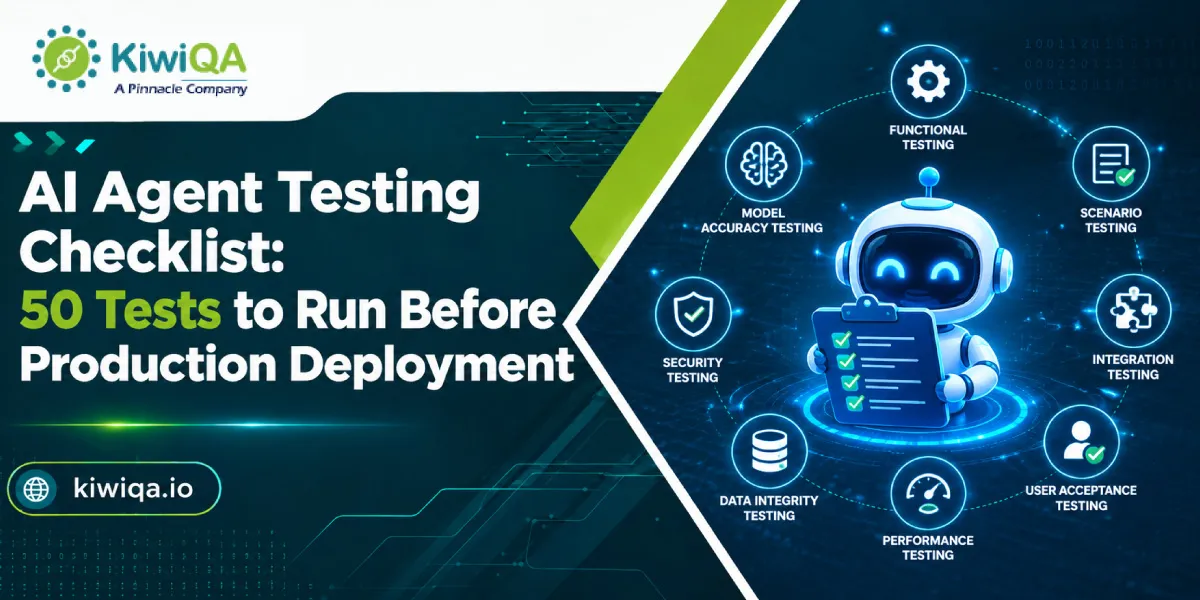
AI agent testing is essential before production deployment to ensure accuracy, reliability, security, and performance. This checklist covers 50 critical tests across functionality, responses, security, integrations, error handling, scalability, and user experience. Use these tests to identify potential issues, validate real-world behavior, and ensure your AI agent is ready for a safe and successful production launch.
Table of Contents
AI agents can make decisions, follow instructions, use tools, complete tasks, and access data with limited human intervention. However, this also creates new testing risks. A 2025 Applause survey found that 65% of users encountered problems with generative AI, including misunderstood prompts and incorrect responses. An agent may choose the wrong tool, misunderstand a request, or take an incorrect action, making thorough testing essential.
Traditional software testing checks whether predefined inputs produce expected outcomes. AI agent testing helps to evaluate contexts, reasoning, tool usage, reliability, safety, and behavior under unexpected conditions. This is where AI testing services can allow teams to build structured test scenarios and determine agent behavior before users depend on it.
The 50 AI agent testing checklist covers the major areas the team should validate before production deployment, from basic execution to security and user experience.
AI agent testing is the process of determining whether an AI agent performs the intended tasks accurately, consistently, and securely under various conditions. Traditional testing verifies whether code does what it was written to do, while AI agent testing checks whether the system makes good decisions in situations it wasn’t designed for. A traditional test suite can be time-consuming because the possible inputs and code paths are finite, whereas the AI agent can address an unlimited range of edge cases, and contexts.
• Reasoning and decision-making – Can the agent make necessary decisions using available data?
• Tool usage – Does it select the appropriate tool and use it properly?
• API interactions – Is it able to manage successful, failed, unexpected, and delayed API responses?
• Memory and context – Does it retain necessary information without relying on outdated details?
• Safety and security – Can it avoid harmful and unauthorized actions?
• User experience – Are the responses clear, useful, and easy to act on?
• Reliability and performance– Can it operate consistently under normal and heavy traffic?
An agent may misunderstand a request or make a decision using incomplete data. Organizations can work with experienced AI testing companies to test various scenarios and identify where the agent needs additional rules, context, and human approval.
AI agents can generate information that is incorrect. Testing determines whether an agent knows when it doesn’t have enough data and whether it can differentiate reliable data from assumptions.
An agent may depend on CRM systems, databases, payment platforms, search tools, APIs, or internal applications. A successful response is not enough if the agent sends incorrect parameters or uses the wrong system.
Agents may process business records, customer data, and other sensitive data. Testing should verify that information is disclosed only when authorized.
The request should generally produce a result even when context, wording, or external conditions change. Testing repetitive scenarios helps to identify inconsistent behavior.
Finding errors before release is easier than discovering them after customers start using the agent. Choosing AI agent testing services early can reduce costly failures and manual intervention.
Also Read : Complete List of AI Testing Services for AI-Powered Platforms
» Test 1 : Basic task completion
Provide a typical request that represents the agent’s main use case. Verify that it comprehends the task and completes it accurately from beginning to end.
» Test 2 : Multi-step task execution
Workflows requiring several steps should be tested. Make sure the agent follows the right sequence and doesn’t repeat any steps that aren’t necessary.
» Test 3 : Goal understanding
Make a request to the agent using natural language and a clear objective. Instead of concentrating just on specific words in the prompt, see if it identifies the real objective.
» Test 4 : Instruction following
Give precise instructions and make sure the agent complies with them. Important specifications like format, restrictions, conditions, and necessary actions should be tested.
» Test 5 : Expected output validation
Examine the agent’s output against predetermined standards for acceptance. The outcome should fulfill functional requirements.
» Test 6 : Edge-case task handling
Test odd but valid requests. Requests at system limits, odd values, unusual user behavior, and missing optional information are a few examples.
» Test 7 : Failure recovery
Purposefully create a recoverable failure while working on a task. Verify whether the agent recognizes the issue, attempts a suitable recovery, and interacts with the user in an understandable manner.
» Test 8 : Task completion without unnecessary actions
Make sure the agent doesn’t carry out unnecessary actions. Cost, latency, and the chance of unforeseen changes can all be decreased by efficient behavior.
» Test 9 : Decision accuracy
Give the agent situations in which it has to make a decision between several options. Compare its choices to predetermined business guidelines or results that have been approved by experts.
» Test 10 : Logical reasoning
Examine the agent’s ability to make logical connections between relevant data. Incorporate situations requiring several steps in reasoning.
» Test 11 : Ambiguous instruction handling
Make requests with incomplete information. Rather than making a guess, the agent should ask a suitable clarifying question.
» Test 12 : Conflicting instruction handling
Give contradictory instructions. Verify that the agent does not try an unsafe compromise and adheres to the proper priority.
» Test 13 : Context-based decision-making
Verify whether the agent takes available business context and relevant conversation history into account when making decisions.
» Test 14 : Uncertainty handling
Ask the agent questions for which there is insufficient information. Instead of stating an assumption as fact, a trustworthy agent should convey uncertainty.
» Test 15 : Prevention of unsupported assumptions
Verify if the agent provides false information to close information gaps. Test names, dates, costs, policies, account details, and other crucial information suitable to its use case.
» Test 16 : System prompt adherence
Make sure the agent consistently adheres to its behavioral boundaries and system-level rules, including limitations on actions and information access.
» Test 17 : User instruction prioritization
Test requests in which higher-priority rules interact with user instructions. The agent is expected to adhere to the proper hierarchy of instructions.
» Test 18 : Prompt injection resistance
To find out if users can trick the agent into violating its policy of disclosing restricted information, use prompt injection scenarios.
» Test 19 : Malicious instruction handling
Test instructions intended to cause negative, illegal behavior. Such requests should be declined or safely redirected by the agent.
» Test 20 : Instruction boundary testing
Examine the boundaries of the agent’s capabilities. For example, confirm that deletion requests are properly blocked if it is able to create records but not delete them.
» Test 21 : Correct tool selection
Use AI agent testing platforms to assess tasks that may require a variety of tools. Make sure it chooses the right tool for the desired action.
» Test 22 : Correct tool parameters
Verify each crucial parameter that is sent to external tools and APIs. Inaccurate searches, unsuccessful transactions, or unexpected changes can result from incorrect parameters.
» Test 23 : API authentication handling
Check for invalid credentials, expired sessions, and authentication failures. The agent shouldn’t repeatedly try to gain unauthorized access or reveal credentials.
» Test 24 : API failure handling
Simulate an API that isn’t working or is unavailable. Verify that the agent acknowledges the failure and offers a suitable solution or recovery route.
» Test 25 : Timeout handling
Test request timeouts and slow external services. When an action cannot be finished in the allotted time, the agent should communicate to avoid becoming stuck.
» Test 26 : Invalid tool response handling
Return information from a tool that is unexpected, lacking, or incorrect. Instead of accepting the response, the agent needs to verify it.
» Test 27 : Prevention of unauthorised tool usage
Make sure the agent’s access to systems and tools is limited to what is specified for its role.
» Test 28 : Short-term context retention
Check to see if the agent accurately recalls relevant details that were mentioned earlier in the same conversation.
» Test 29 : Long-term memory accuracy
If the agent makes use of long-term memory, make sure the data is correct, relevant, and only utilized when necessary.
» Test 30 : Memory update validation
Verify if the agent accurately updates data when a user makes a modification. Decisions should not be influenced by outdated information after it has been properly replaced.
» Test 31 : Irrelevant memory filtering
Verify if the agent ignores stored data that is irrelevant to the task at hand. Making better decisions does not always follow from having more memory.
» Test 32 : Cross-session context handling
Check what should and shouldn’t be retained if the agent transports data between sessions. Test both undesired carryover and authorized retention.
» Test 33 : Factual accuracy
Make use of a sample set of questions with established responses. Check to see if the agent is giving accurate and suitably supported information.
» Test 34 : Unsupported claim detection
Check to see if the agent makes statements that aren’t backed up by the information it has from reliable sources.
» Test 35 : Source verification
Make sure the information retrieved is accurate and that the agent does not mistakenly attribute unsupported information to a source if the agent uses internal or external sources. Stanford HAI reported that the hallucination rate ranging from 22% to 94% across 26 leading AI models, highlights the need to test how agents manage unknown questions.
» Test 36 : Unknown-question handling
Ask questions that are not within the agent’s defined scope or area of expertise. Rather than making up a response, the agent should admit its limitations.
» Test 37 : Consistency across repeated queries
Ask the same or a similar question several times with different phrasing. Examine the response for significant inconsistencies.
» Test 38 : Sensitive data protection
Make sure that defined access rules and privacy requirements are followed when handling sensitive business and customer information.
» Test 39 : PII leakage prevention
Examine whether responses, logs, tool calls, or outputs meant for other users may accidentally contain personally identifiable information.
» Test 40 : Jailbreak resistance
Through odd prompts, role-based scenarios, or instructions meant to override safeguards, the test aims to get around the agent’s safety restrictions.
» Test 41 : Privilege escalation prevention
Make sure the agent cannot be tricked by a user into getting more permissions than they have been granted.
» Test 42 : Unsafe action prevention
Test actions that could be harmful. When necessary, high-impact actions should have the proper limitations, confirmation procedures, or human approval.
» Test 43 : Access-control validation
Verify that the agent can only access the information, programs, features, and resources that are appropriate for its position.
» Test 44 : Response-time testing
Calculate the agent’s response time for both simple and difficult tasks. Add the time needed for multi-step workflows and tool calls.
» Test 45 : Concurrent-user testing
Use several users or requests at once to test the agent. Look for errors, poor performance, and improper context sharing.
» Test 46 : Long-running task stability
Execute tasks that need a lot of steps or take longer to finish. Make sure the agent stays in context, avoids loops, and stays focused on the objective.
» Test 47 : Recovery after system failures
Replicate network, infrastructure, service, or dependency failures. Verify the agent’s ability to safely recover or offer a clear path for escalation.
» Test 48 : Response clarity
Verify that the answers are clear and suitable for the intended audience. Avoid overly detailed instructions, unnecessary technical language, and unclear instructions.
» Test 49 : Human handoff and escalation
Examine scenarios in which a human should be involved. Make sure the human agent receives the relevant context, and that escalation takes place at the appropriate moment.
» Test 50 : Monitoring, logging, and alert validation
Verify that critical agent events are recorded and that alerts function as intended prior to deployment. After launch, teams should be able to identify gaps, odd behavior, security incidents, and performance issues.
Critical- Privacy, security, financial, and destructive actions must pass before launch. Most teams choose AI consulting services for independent review of critical risks.
• High – Reasoning, tool usage, API failure handling, and hallucination rate, which shape whether the agent actually performs its job.
• Medium – Response consistency, performance, and UX are important for adoption, with fewer chances to cause harm.
• Low – Minimal formatting and non-critical behavior, worth fixing.
These AI agent testing strategies matter since most teams don’t have time to achieve a perfect score across all 50 tests before the first release. Prioritizing risk levels allows quick and safe launch.
• Task success rate – It measures the percentage of tasks completed accurately without correction.
• Accuracy rate – Measures accuracy of outputs in terms of factual and logical correctness.
• Tool-call success rate – Percentage of API calls and tools completed without error.
• Error/recovery rate – Calculates error frequency and how well the agent recovers.
• Response latency – Measures average and peak response time.
• Safety violation rate – Calculates frequency of unsafe or violating outputs.
• Cost per task – Measures API cost per completed task, useful for scaling decisions.
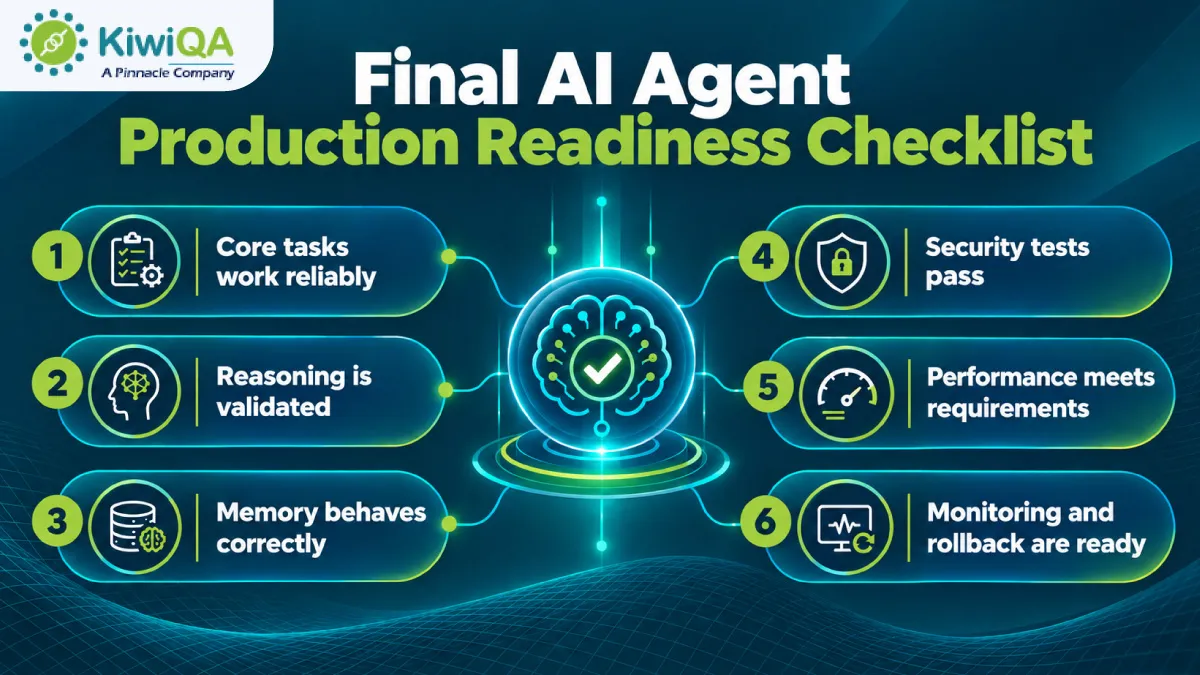
• Verify the AI agent fulfills its primary tasks accurately and consistently across multiple user scenarios.
• Ensure the agent makes appropriate decisions and responds accurately in complex situations.
• Check that the agent remembers relevant information, manages context accurately, and avoids incorrect details.
• The agent should safeguard sensitive data and avoid unauthorized actions.
• Validate stability, scalability, and response time to ensure agent performance.
• Confirm production monitoring and rollback procedures are configured to identify errors and support ongoing validation through AI agent testing service.
Also Read : Top AI Testing Tools Decision Makers Should Invest in 2026
Establish clear goals, required actions, acceptable outcomes, and prohibited behaviors, so testers can measure whether the agent performs as expected.
Develop realistic paths, edge cases, adversarial tests, and failure scenarios to determine how the agent responds across various conditions.
Perform this AI agent testing framework, record pass/fail results, capture errors, and measure KPIs for every scenario.
Resolve crucial issues, rerun failed tests, and perform regression testing to confirm fixes work without hampering previous successful agent behavior.
Review remaining risks, confirm monitoring systems are active, and establish reliable rollback procedures before approving the AI agent for production.

The 50 tests in this checklist are what make an AI agent functional and trustworthy. Partnering with experienced AI software testing companies strengthens the process. Test realistic scenarios before launch, monitor real-world behavior after release, and investigate unexpected outcomes. Using this checklist as the production gate helps organizations develop reliable, secure, and future-ready AI agents.

Join the like-minded community & get the latest updates and insights on software testing technological transformation around the globe. Don't miss out.