Top Salesforce Automation Testing Tools to Consider in 2026
 Niranjan Limbachiya
Table of Contents
Salesforce environments have turned out to be highly complex in recent years. This is due to the demand for extensive customisation, third-party integrations, and frequent releases. These are making manual testing difficult to scale. According to recent statistics, worldwide, over 15,000 companies rely on Salesforce for business-critical operations like customer service, marketing, and sales.
Automation testing helps QA teams check critical workflows more efficiently and catch potential issues before they make it to production. Working with experienced salesforce testing services providers can also help you build a reliable testing process that keeps your Salesforce applications running smoothly.
However, the effectiveness of automation mainly depends on picking the right testing tool. An effective tool can encourage test coverage, accelerate regression testing, and offer more consistent results. So, here you can explore some top Salesforce automation testing tools to consider in 2026.
As Salesforce implementation has become more complex than before, businesses are in demand for reliable ways to validate every change. Automated testing consultancy can help your QA teams reduce repetitive work while catching defects earlier. Most importantly, it can help you maintain your application quality.
Automation allows your QA teams to execute repetitive tasks while helping your business validate changes without slowing down frequent Salesforce releases. This makes it easier to maintain your development speed.
Automated tests can handle repetitive validation tasks that would not require major manual effort from your team. Testers can prioritize more complicated scenarios and areas that need human judgment.
Salesforce updates and customization can unintentionally impact existing features, making regression testing a must. Automation enables your team to test more workflows consistently after every change.
With automated testing consulting, you can test early and frequently throughout the development process. This can help your team detect issues in the early phase. Finding defects in the earlier phase can reduce the chances of rework.
Consistent automated testing can help verify that critical Salesforce functionality continues to work as expected before release. This reduces the likelihood of production failures and offers your team great confidence when initiating changes.
Salesforce automation testing can be integrated into CI/CD pipelines to automatically validate changes during development and deployment. This enables faster feedback and more balanced releases.

Here are the steps that can offer clarity on how to choose the right Salesforce automation testing tools in 2026.
Begin the process by assessing the number of users and applications, along with the level of Salesforce customization and the cloud your company uses. You should also consider the complexity of the integration by seeking the help of a test automation consultancy. This is very important when your project requires specialized expertise.
Pick a tool that matches your team’s technical knowledge, starting from no-code solutions for business users to low-code platforms for QA teams. Script-based tools might be more suitable for technical teams that need greater control and flexibility.
Check whether the testing tools work effectively with your CI/CD pipeline, existing test management systems, and DevOps platforms. It should also support the third-party applications connected to Salesforce. This ensures your testing covers the whole technology ecosystem.
Apart from licensing expenses, make sure to consider the efforts needed to implement, maintain, and update the testing solution. A scalable tool should continue supporting your growing users, applications, and testing requirements without giving rise to excessive long-term charges.
Also Read : Top AI Testing Tools Decision Makers Should Invest in 2026
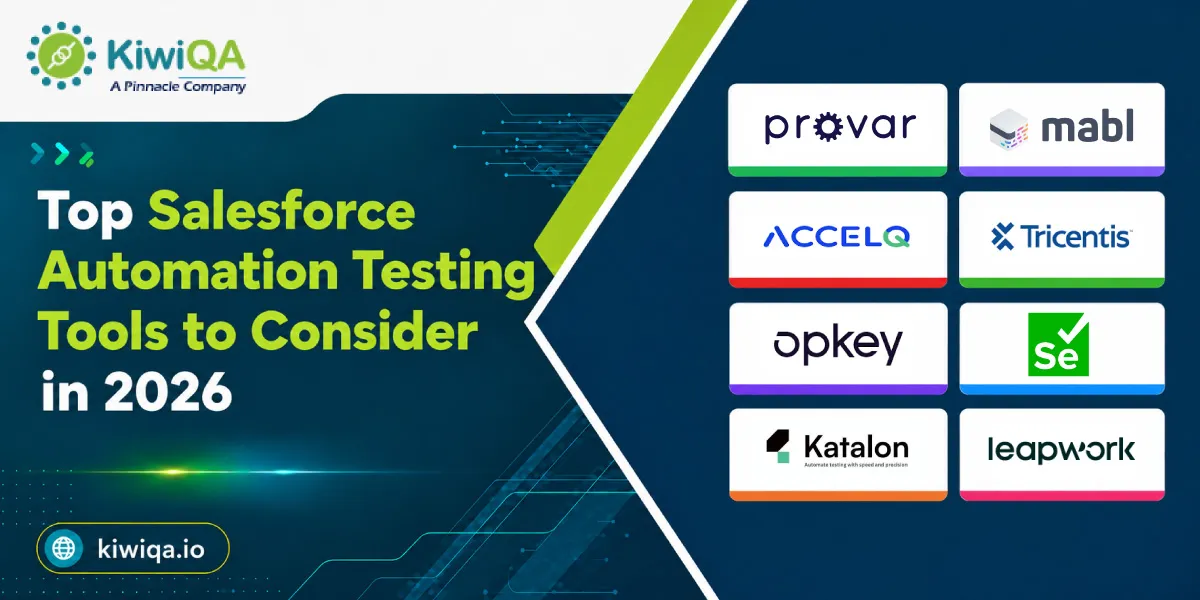
Salesforce implementation has become more customized and connected to other business systems. So, QA teams need automation testing tools for Salesforce that can handle more than basic functional audits. Here are some Salesforce automation testing tools listed below that offer different approaches. Starting from Salesforce-focused and codeless platforms to flexible open-source frameworks, these allow your business to choose based on your testing needs.

Provar is categorized as a Salesforce-focused test automation platform curated to simplify your testing across complicated Salesforce environments. It supports complete testing and uses a low-code approach, allowing your QA teams to generate automated tests without major programming. Its strong understanding of Salesforce metadata helps testers work efficiently with customized objects, configurations, and fields.
This particular feature makes this platform useful for companies with large and highly customized Salesforce implementations that need reliable regression and complete testing.

This is an AI-powered test automation platform that supports complete testing for web applications, including Salesforce-based workflows. Its low-code approach enables teams to create and execute tests without building large amounts of automation code.
Intelligent automation can also help you minimize maintenance effort associated with changing applications and test cases.
Mabl can be your practical option if you are looking for a modern testing platform that combines automation, AI capabilities, and easier test maintenance.

This Salesforce automation testing tool combines AI-powered capabilities with a codeless approach to automate testing across web, mobile, and API environments. This allows your team to validate Salesforce workflows as well as the applications and services connected to them.
It mainly focuses on reducing test maintenance and can be effective when your applications go through frequent changes. This platform is mainly suitable for organizations that want broader automation capabilities instead of limiting testing to Salesforce alone. This also keeps test creation accessible to users with limited coding experience.

This is considered the best automation testing tool for Salesforce in the current scenario. It offers enterprise-level test automation capabilities for companies handling large and complicated Salesforce implementations. Its risk-based testing approach helps teams prioritize critical business processes and focus testing efforts where failures could have the greatest influence.
The platform can also help in improving overall test coverage across complicated application landscapes. Therefore, it is well-suited for enterprises that require structured and scalable automation for Salesforce environments, including extensive customization and business-critical workflows.

Opkey is a no-code test automation platform that uses AI-driven capabilities to support test discovery and maintenance. It can easily automate testing for your Salesforce as well as other enterprise applications. This feature makes it useful for organizations with interconnected technology environments.
Its approach can help your team identify testing needs and maintain automated tests as applications change. Opkey is generally necessary for businesses that need continuous testing, where automated validation needs to be performed regularly throughout development and release cycles.

It is an open-source automation framework that offers technical teams extensive flexibility when building browser-based Salesforce tests. Unlike many codeless platforms, this platform requires programming knowledge and generally includes setting up and maintaining an automation framework.
On the other hand, it offers developers and experienced automated testing companies greater control over test logic, integrations, frameworks, and custom requirements. This platform can be a viable choice for organizations with skilled technical teams that want a customizable solution.

This platform supports testing across web, API, and mobile applications. This feature makes it suitable for Salesforce environments that depend on multiple connected systems. It offers both low-code and scripting options, enabling users with different technical backgrounds to work together in test automation.
As the best Salesforce automation testing platform, it has built-in reporting and test management capabilities. This can help your team organize and assess their testing activities. Katalon can therefore work well for organizations with mixed technical expertise that need one platform to support different types of applications and integration testing.

This platform takes a visual and non-code approach to test automation. This allows your team to build automated workflows without extensive programming. It supports complete business process testing, making it useful for validating Salesforce processes that include multiple applications or systems.
Both business users and QA teams can benefit from its visual approach, particularly when testing complicated workflows at the same time. Leapwork is suitable for companies that desire to automate Salesforce and connected business processes while keeping test creation accessible to non-technical users.
Choosing a Salesforce automation testing tool is not just about simply selecting the platform with a series of features. The right solution or tool should match your Salesforce architecture, testing workflow, technical capabilities, and release strategy. A tool that works effectively for a small implementation might not be reliable for an enterprise environment with complicated customizations and frequent deployments. So, before you decide anything, you should assess the following capabilities listed below in the platform.
Low-code or no-code test creation has the capabilities to make automation accessible to a series of users. Your QA teams can easily create and modify test cases with minimal programming knowledge. On the other hand, business users can contribute to validating critical Salesforce workflows. This can reduce your dependency on high-level developers while making it easier to expand your automation coverage as testing needs grow.
For organizations using salesforce testing solutions, low-code tools can make it easier for internal teams, QA professionals, and external testing experts to work together. They can simplify day-to-day testing tasks and help teams collaborate without adding unnecessary complexity. Test scenarios can easily be created and updated more effectively without needing you to rebuild large sets of code.
Salesforce applications rarely operate individually. Users interact with the Salesforce interface, while APIs exchange information between Salesforce and other applications, databases, and services. A capable testing tool should therefore support UI and API testing at the same time.
UI testing can help you verify that users can complete critical workflows correctly. On the other hand, API testing can assess data exchange and backend functionality. This allows your team to test the application completely instead of prioritizing what happens on the screen.
Salesforce environments can change anytime as teams introduce new configurations, integrations, customizations, and releases. Such changes can cause automated tests to become outdated or fail even when the underlying business process has not changed. AI-powered testing capabilities can help you verify application changes while reducing the manual effort needed to update test cases. This is mainly valuable for companies that run on large automation.
Modern development teams need testing to happen continuously rather than only before a major release. So, your automation testing tools for Salesforce should integrate with the CI/CD pipelines. This way, the automated tests can run as part of the development, deployment, and release workflows. This gives developers and the QA team faster feedback when a change introduces issues. Integrating testing into the delivery pipeline also helps organizations detect issues earlier while making releases more predictable.
Salesforce generally connects with payment platforms, ERP systems, customer portals, marketing applications, and other third-party solutions. Testing only Salesforce functionality might therefore leave critical integration failures undetected.
The selected tool should support your integration testing across connected applications and validate whether data moves correctly between systems.
This is generally important for complete business processes where a failure in one connected system can disrupt the entire process.
The testing solution should be capable of handling growing numbers of users, applications, test cases, and Salesforce environments without reducing performance consistency. Scalability becomes especially important for enterprises handling multiple Salesforce instances.
Security is also important because automated testing might interact with sensitive customer and business data. So, you should evaluate the access controls, data protection, authentication, and compliance requirements.
Effective Salesforce test automation is not just automating everything. Your goal should be to create a reliable testing strategy that prioritizes automation efforts where they offer the most incredible value. As Salesforce environments change through customizations, frequent releases, and integrations, following some practical best practices can help your QA teams maintain test quality while keeping the process efficient.
Start by assessing the Salesforce processes that have the greatest impact on business operations and customer experience. Workflows like lead conversion, order processing, opportunity management, and customer onboarding should generally receive higher testing priority.
Automating such critical scenarios first ensures that the most essential functionality has been tested. Further, your team can expand their automation coverage to lower-priority workflows.
Regression testing is one of the major use cases for Salesforce automation, as the same scenarios need to be executed after configuration changes or releases. Automating such repetitive tests can save your QA team’s time and reduce the risk of human error or issues.
Instead of manually repeating hundreds of verifications during every release cycle, testers can run automated regression suites and prioritize their time on exploratory testing. Further, they can review the complicated scenarios that need human verification.
Avoid creating completely independent automation scripts for every test case. Reusable components for common actions, like logging in and navigating Salesforce objects, can make the automation framework easier to maintain.
When Salesforce processes change, teams can easily update the shared component instead of changing individual tests. This approach reduces the chances of duplication and helps keep the automation suite consistent as your Salesforce environment grows.
Reliable automation depends heavily on reliable test data. Teams should define how test records are created, stored, and cleaned up. This way, the tests do not fail because of missing or outdated information.
When necessary, use controlled and isolated test data instead of relying upon production information. Proper data management also helps protect sensitive business and customer data while making automated test results more predictable.
Automation becomes more valuable when testing is integrated directly into the development and deployment process. Connecting Salesforce automated tests with CI/CD pipelines allows your team to initiate changes automatically at necessary stages.
This can guarantee you faster feedback when defects are detected and helps prevent unstable builds from progressing further. You can consider the help of automated testing companies who can support you with frequent and controlled Salesforce releases.
An automation suite should not be treated as a one-time project. Salesforce configurations, workflows, interfaces, integrations, and your business needs can change over time. This might cause previously reliable tests to become irrelevant.
So, your QA teams should regularly check test cases, remove useless scenarios, update affected workflows, and investigate recurring failures.
Routine maintenance can keep your suite reliable and prevent automation from becoming a source of unnecessary noise.
Assessing test coverage can help your team understand which Salesforce processes are adequately validated and where important gaps are. Coverage should be considered across critical business workflows, user journeys, and frequently changed functionality instead of the number of automated tests.
Failure patterns offer another valuable source of insight. By assessing recurring failures, your team can verify unstable tests, problematic integrations, and common application defects. Further, you can use such findings to improve your Salesforce testing strategies.
Also Read : Top Accessibility Testing Tools Should Use in 2026 to Improve Customer Experience
Salesforce testing has already gone beyond traditional automated regression testing as organizations are adopting more complicated architectures and faster release cycles. The recent trends and technologies are making automation more intelligent and easier to maintain while sticking to continuous delivery. Here are some trends to catch up for business growth.
AI is making it possible to create test cases faster by assessing application behavior, needs, and your existing workflows. So, instead of generating every scenario manually, your team can use AI features to understand potential test cases and improve the test design.
Intelligent test recommendations can also help teams identify high-risk areas and can suggest scenarios that might get overlooked. This can also encourage test coverage while reducing the time needed to create large automation suites.
Salesforce interfaces can change frequently as organizations modify configurations and introduce new components. Traditional automated tests might fail when UI elements and object properties change.
Self-healing automation aims to address this issue by detecting changes and adapting test interactions automatically. This can minimize maintenance work and improve your test stability. This can also allow your teams to spend less time fixing automation failures caused by minor application changes.
Salesforce development is increasingly becoming part of broader DevOps practices. This makes continuous testing an essential part of modern delivery pipelines. Automated tests can be integrated into development and release processes to validate changes throughout the software lifecycle.
This approach gives development teams faster feedback when any defects are found. Instead of discovering issues before the production deployment, teams can identify and address issues earlier. This makes Salesforce releases faster and more predictable.
Salesforce rarely works as an individual system in large organizations. It might exchange data and might trigger processes across ERP platforms, CRM applications, marketing tools, payment systems, and other enterprise technologies.
Complete testing will mainly focus on validating such connected workflows instead of testing Salesforce in isolation. This can offer better visibility into how data and processes move across systems and helps identify failures. This approach can be more viable when considering the help of automation testing services that can verify the individual applications separately.

Choosing the right Salesforce test automation tool involves more than simply picking a tool with the right features. As a business owner, you need to consider your Salesforce architecture, testing goals, team expertise, and long-term requirements. Partnering with an experienced salesforce automation testing company can also help you understand your testing needs and choose an approach that fits your Salesforce environment.
Key factors like low-code capabilities, AI-powered maintenance, UI and API testing, CI/CD compatibility, and integration support should be assessed carefully. So, the right tool shouldn’t only address current testing needs but also adapt as Salesforce implementations become larger and more complicated than before.
So, before making the final choice, businesses should properly assess their Salesforce customizations, workflows, connected applications, and existing development processes. A practical assessment based on such factors can help your QA team select a testing solution that can encourage coverage while reducing maintenance.

Join the like-minded community & get the latest updates and insights on software testing technological transformation around the globe. Don't miss out.