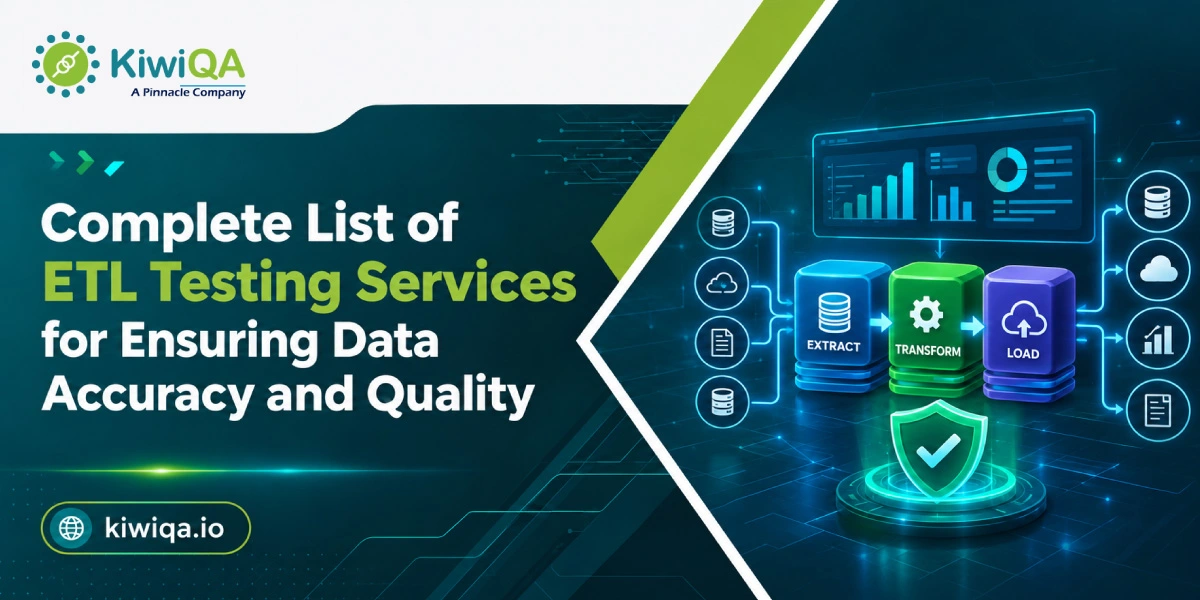
Complete List of ETL Testing Services for Ensuring Data Accuracy and Quality

Today’s companies depend on accurate data to manage operations, reporting, and decision-making. However, poor data quality can have a significant financial impact. More than 25% of organisations estimate annual losses of over $5 million due to poor data quality, while 43% of chief operations officers identify data quality as a top data priority. Data quality testing helps identify errors before they affect downstream systems, analytics, and business metrics.

Working with a trusted ETL testing firm ensures that data pipelines are thoroughly validated. Professional ETL testing services can help detect data loss, formatting errors, calculation issues, and integration problems, supporting more accurate and reliable business insights.

What Is ETL Testing?

➥ Understanding the ETL Process

ETL stands for Extract, Transform, and Load. It is a process that gathers raw data from various data sources, cleans and sorts these data, and loads them into a centralized application like a data warehouse.

Extract is the process of gathering data from legacy databases, third-party applications, flat files, or APIs. Cleans, filters, joins and applies business rules to prepare data. Load loads the processed data into the target database or cloud data warehouse.

ETL testing verifies the process from the source to the destination, making sure that data is not corrupted, changed unexpectedly, lost, or processed incorrectly.

➥ Why Is ETL Testing Important?

Data accuracy, consistency and completeness are provided by reliable ETL software testing. It can identify missing data, erroneous calculations, duplicate data, and formatting problems early, ensuring the accuracy of reporting and aiding in making sound business decisions.
Why Choose Professional ETL Testing Services

Complete List of ETL Testing Services

1. Data Extraction Testing Services

Data extraction testing confirms data accuracy from databases, CRM systems, ERP applications, APIs, flat files and legacy systems. Those conducting the test verify that there is no missing, duplicate, or incorrectly captured data by comparing them with the data that has been extracted. They also check the connections and files to the source, file formats, record counts, field mappings, and schema structures to ensure reliable extraction processes.

2. Data Transformation Testing Services

Data transformation testing validates the data to ensure that the data is clean and ready to feed into the target system. Defines business rules, data mappings, joins, lookups, calculations, aggregations, filters, sorting logic and data type conversions. Testing also validates that the values transformed are as expected, and that during transformation, there is no loss or alteration of valid information.

3. Data Loading Testing Services

Data loading testing ensures that data is loaded correctly into databases, data warehouses, and cloud platforms. Testers verify record counts, field values, duplicate records, missing data, truncation, rejected records, and load failures. They also validate full and incremental loads to ensure that new and updated records reach the target system accurately. ETL automation testing services help streamline these validation processes, reduce manual effort, and improve data reliability.

4. Data Quality Testing Services

Data quality testing verifies that enterprise data is accurate, complete, consistent, valid, and in a proper format. It detects inconsistencies between systems, writing or formatting errors, nulls, not defined fields, incorrect values, and duplicate records. Continuous quality checking enables organisations to have consistent data sets for business reporting, for customer management, for business analytics and operations.

5. Data Warehouse Testing Services

Data warehouse testing verifies the integrity of the data warehouse structure, relationships and the information contained in it. It deals with fact tables, dimension tables, schemas, keys, relationships, historical records and aggregation logic. Testers perform warehouse-to-source system data integrity testing to ensure information is transferred correctly, and that dashboards, reports, and analytical queries are accurate.

6. ETL Migration Testing Services

ETL migration testing ensures that the data is correct when switching from legacy systems to new databases, cloud warehouses, or applications. Testers match the source and target environments to determine if there are missing, duplicated, changed or corrupted records in either. The process also validates the data types, row counts, the business rules, the checksums, historical information, and the transformation logic, to ensure a smooth migration.

7. Database Testing Services

Database testing is the process of checking the reliability, security and functionality of databases employed in an ETL environment. Validates SQL queries, stored procedures, views, triggers, indexes, constraints, relationships and transactions. Performance testing can also uncover slow queries, database constraints, storage shortages, and data consistency issues, among other things, when run under new workloads.

8. Big Data ETL Testing Services

Big data ETL testing is designed for structured, semi-structured and unstructured data processing environments. It validates data ingestion, distributed processing, partitioning, aggregation, batch jobs and streaming workflows. Testing can include technologies like Hadoop and Spark to guarantee accurate processing of large datasets without performance or data quality problems.

9. Cloud ETL Testing Services

Cloud ETL testing is used to validate data pipelines deployed on platforms like AWS, Microsoft Azure, and Snowflake. It monitors data transfers, event triggers, data pipelines, pipelines dependencies, automated workflows, APIs, integration, and cloud storage. Testing can also help ensure good data movement between hybrid and multi-cloud setups and detect configuration or integration problems.

10. ETL Performance Testing Services

ETL performance testing is used to assess the efficiency of pipelines in processing, transforming and transferring data. Processes performance in terms of processing time, throughput, query response, CPU, memory and database performance. Testers find bottlenecks, inefficient queries, resource shortages and slow processes which may cause the batch jobs to be delayed or impact timely reporting.

11. ETL Automation Testing Services

Scripts, frameworks and automated tools for repetitive validation activities are used in automated testing for ETL. Automated tests can compare source and target records, validate transformation rules, check record counts, and run regression testing whenever there are changes to the pipeline. The benefits of automation are that it cuts down on manual work, increases test coverage, and lets teams identify data problems earlier.

12. Data Pipeline Testing Services

Data pipeline testing ensures that data flows from the source systems, through the data extraction and transformation processes, to the final systems (such as data warehouse, application, or reporting layer). It verifies pipeline dependancy, scheduling, data flow, error handling, retry, failure recovery, etc. End-to-end testing can help prevent data gaps or downstream analytics failures if individual pipeline failures occur and go unnoticed.

Also Read : Types of ETL Testing and Their Role in Data Quality
Best Practices for Effective ETL Testing

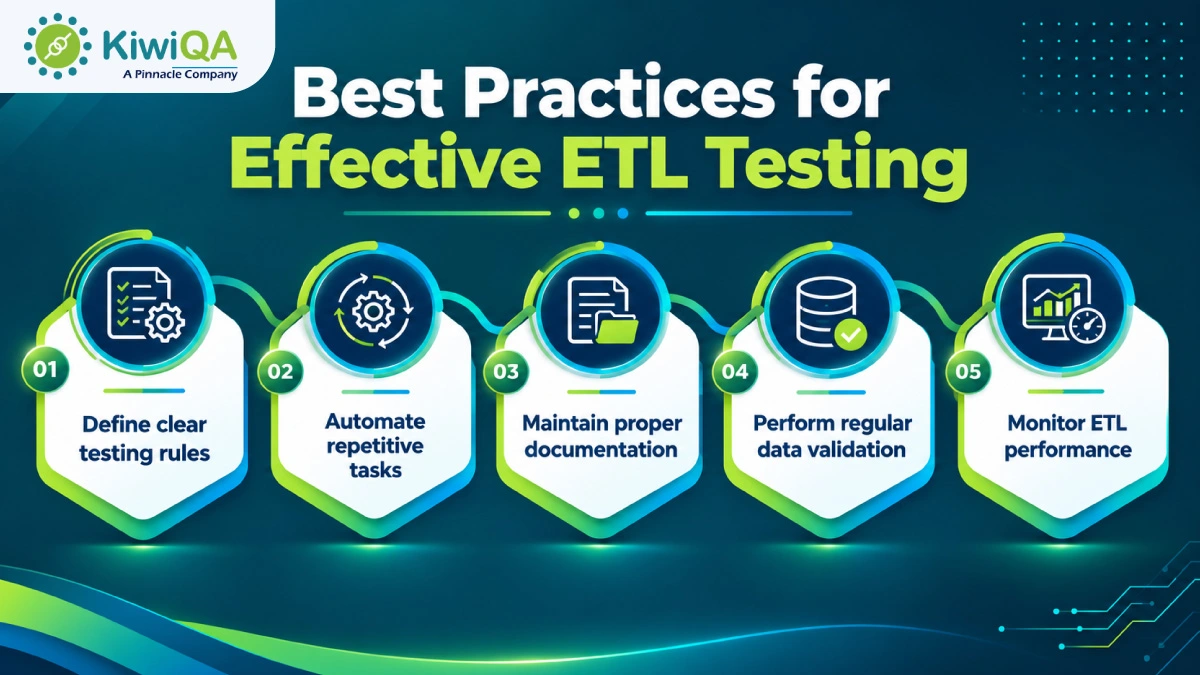
Best Practices for Effective ETL Testing

Creating a scalable testing methodology is a matter of planning, methodology discipline and the right kind of software tools. An ETL testing solution based on the industry best practices results in consistently clean data.

Create Clear Testing Rules: Document and define the requirements for moving the sources to their target before executing test passes with explicit acceptance criteria.

Automate Repetitive Tasks: Use continuous ETL automation testing services to count rows, test schema, and run tests for your entire day automatically.

Update Documentation: Update and maintain current mapping logic, custom transformation and historical test scripts.
Do Regular Data Validation: Ensure that a robust ETL testing services solution is used to execute regular audit scripts on real-time production feeds.

Monitor ETL Performance: Follow the pipeline run time against time, and resolve the slowdowns in the pipeline to avoid impacting business operations.

Popular ETL Testing Tools

➥ Common ETL Testing Tools

Informatica Data Validation Option enables automated data validation at Informatica level in Informatica workflows. Talend Data Quality supports profiling, standardising and detecting potential data issues in the source data. QuerySurge performs source-to-target testing in data warehouses and big data environments. Apache Spark testing frameworks enable a team to validate large batch and streaming datasets, and SQL-based custom frameworks enable a team to directly compare datasets in the database with their own custom queries.

➥ How to Choose the Right ETL Testing Tool?

Select an ETL testing tool that integrates seamlessly with existing databases, cloud platforms, data warehouses, and CI/CD pipelines. Automated test creation, scheduling and notifications can significantly minimize repetitive testing with strong automation features. It should appropriately scale with the size of the data and offer simple and readable reports that assist technical and business teams to interpret the testing outcome.

How ETL Testing Services Improve Data Quality

By performing systematic data validation, you can get immediate measurable enhancements throughout your organization’s digital ecosystem.

➥ Ensure Accurate Data Validation

When using a top-notch ETL testing company, records will be matched 100% to meet target requirements. Advanced validation routines verify data that checks multiple databases for missing fields, truncations, or corrupted characters, preventing them from affecting operations.

➥ Improve Reporting and Analytics Reliability

Clean pipelines deliver clean analytics. If business intelligence dashboards leverage records that have been verified by powerful ETL testing services, executives can be confident in the numbers they are seeing to evaluate their monthly performance metrics, without having to second-guess the reports.

➥ Reduce Data Errors and Inconsistencies

Continuous ETL automation testing service implementations catch mapping flaws early in development environments. Early detection prevents costly emergency repairs and helps eliminate redundant or corrupted data from live systems.

Why Choose Professional ETL Testing Services?

➥ Access Experienced ETL Testing Experts

Professional ETL testing services give access to proficient testing experts with a knowledge of intricate data workflows. They provide industry-specific solutions to meet the specific needs of the business and the data.

➥ Use Advanced Testing Methodologies

To enhance accuracy and efficiency, experienced teams employ the latest testing methods and automation tools. These strategies allow data problems to be identified quicker, and repetitive manual testing reduced.

➥ Support Complex Data Environments

Professional testing teams are able to test several databases, applications, APIs, cloud platforms and data warehouses. They assist in validating data over complex enterprise environments and integration points.

➥ Ensure Scalable Data Testing Solutions

Scalable ETL testing solutions can grow with the volume of data, new integrations, and evolving business needs. They facilitate ongoing testing and assist in maintaining data quality as systems expand.

Also Read : Business Guide to ETL Testing Tools 2026 for Better Data AccuracyReady to Improve Your Data Quality with Reliable ETL Testing Services
Ready to Improve Your Data Quality with Reliable ETL Testing Services?

Data is your organization’s most precious strategic asset, but only when it’s accurate. Faulty pipelines result in incorrect reports, lost developer time and dangerous business decisions. Using a good ETL software testing tool safeguards your data ecosystem, guarantees full pipeline protection, and boosts confidence in every business-dashboard you use.

Data teams in enterprises can utilize expert validation strategies to construct pipelines that are reliable and error-free, and that provide business value every day.
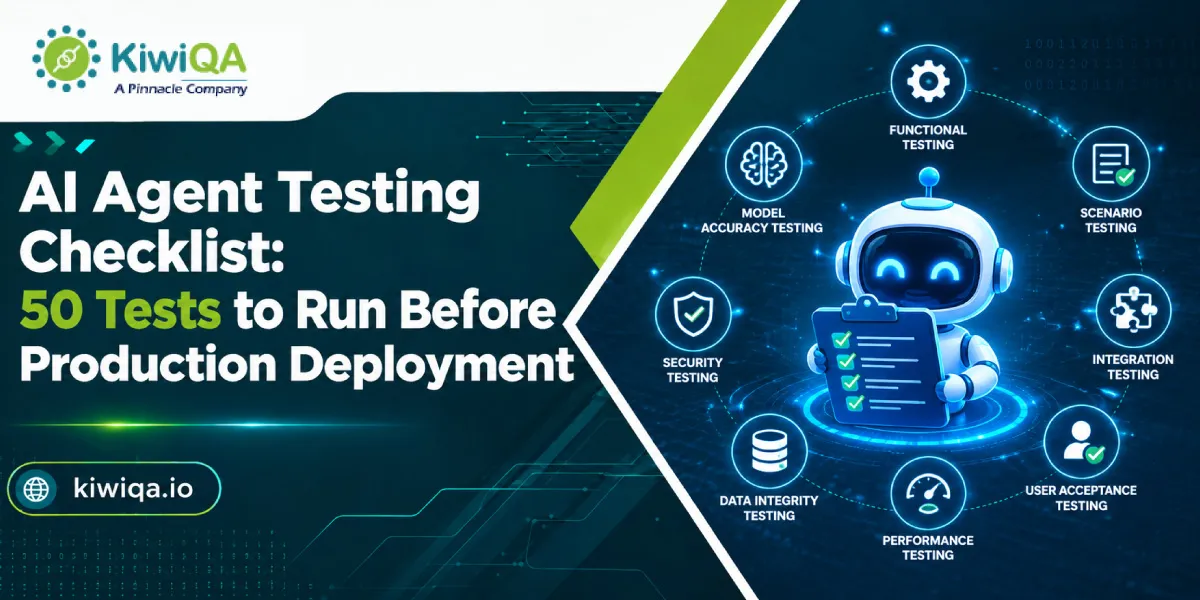
AI Agent Testing Checklist: 50 Tests to Run Before Production Deployment

AI agents can make decisions, follow instructions, use tools, complete tasks, and access data with limited human intervention. However, this also creates new testing risks. A 2025 Applause survey found that 65% of users encountered problems with generative AI, including misunderstood prompts and incorrect responses. An agent may choose the wrong tool, misunderstand a request, or take an incorrect action, making thorough testing essential.

Traditional software testing checks whether predefined inputs produce expected outcomes. AI agent testing helps to evaluate contexts, reasoning, tool usage, reliability, safety, and behavior under unexpected conditions. This is where AI testing services can allow teams to build structured test scenarios and determine agent behavior before users depend on it.

The 50 AI agent testing checklist covers the major areas the team should validate before production deployment, from basic execution to security and user experience.

What Is AI Agent Testing?

AI agent testing is the process of determining whether an AI agent performs the intended tasks accurately, consistently, and securely under various conditions. Traditional testing verifies whether code does what it was written to do, while AI agent testing checks whether the system makes good decisions in situations it wasn’t designed for. A traditional test suite can be time-consuming because the possible inputs and code paths are finite, whereas the AI agent can address an unlimited range of edge cases, and contexts.

➥ The key areas covered by AI agent testing frameworks involve:

• Reasoning and decision-making – Can the agent make necessary decisions using available data?

• Tool usage – Does it select the appropriate tool and use it properly?

• API interactions – Is it able to manage successful, failed, unexpected, and delayed API responses?

• Memory and context – Does it retain necessary information without relying on outdated details?

• Safety and security – Can it avoid harmful and unauthorized actions?

• User experience – Are the responses clear, useful, and easy to act on?

• Reliability and performance– Can it operate consistently under normal and heavy traffic?

Ready to Ensure Your AI Agents Perform Reliably

Why Should You Test an AI Agent Before Production?

➥ Prevent incorrect or unsafe decisions.

An agent may misunderstand a request or make a decision using incomplete data. Organizations can work with experienced AI testing companies to test various scenarios and identify where the agent needs additional rules, context, and human approval.

➥ Reduce hallucinations and unreliable responses.

AI agents can generate information that is incorrect. Testing determines whether an agent knows when it doesn’t have enough data and whether it can differentiate reliable data from assumptions.

➥ Validate integrations and tool calls

An agent may depend on CRM systems, databases, payment platforms, search tools, APIs, or internal applications. A successful response is not enough if the agent sends incorrect parameters or uses the wrong system.

➥ Protect sensitive user and business data.

Agents may process business records, customer data, and other sensitive data. Testing should verify that information is disclosed only when authorized.

➥ Improve reliability and consistency.

The request should generally produce a result even when context, wording, or external conditions change. Testing repetitive scenarios helps to identify inconsistent behavior.

➥ Reduce production failures and operational costs.

Finding errors before release is easier than discovering them after customers start using the agent. Choosing AI agent testing services early can reduce costly failures and manual intervention.

Also Read : Complete List of AI Testing Services for AI-Powered Platforms

AI Agent Testing Checklist: 50 Tests Before Deployment

❏ Functional & Task Execution Tests

» Test 1 : Basic task completion

Provide a typical request that represents the agent’s main use case. Verify that it comprehends the task and completes it accurately from beginning to end.

» Test 2 : Multi-step task execution

Workflows requiring several steps should be tested. Make sure the agent follows the right sequence and doesn’t repeat any steps that aren’t necessary.

» Test 3 : Goal understanding

Make a request to the agent using natural language and a clear objective. Instead of concentrating just on specific words in the prompt, see if it identifies the real objective.

» Test 4 : Instruction following

Give precise instructions and make sure the agent complies with them. Important specifications like format, restrictions, conditions, and necessary actions should be tested.

» Test 5 : Expected output validation

Examine the agent’s output against predetermined standards for acceptance. The outcome should fulfill functional requirements.

» Test 6 : Edge-case task handling

Test odd but valid requests. Requests at system limits, odd values, unusual user behavior, and missing optional information are a few examples.

» Test 7 : Failure recovery

Purposefully create a recoverable failure while working on a task. Verify whether the agent recognizes the issue, attempts a suitable recovery, and interacts with the user in an understandable manner.

» Test 8 : Task completion without unnecessary actions

Make sure the agent doesn’t carry out unnecessary actions. Cost, latency, and the chance of unforeseen changes can all be decreased by efficient behavior.

❏ Reasoning & Decision-Making Tests

» Test 9 : Decision accuracy

Give the agent situations in which it has to make a decision between several options. Compare its choices to predetermined business guidelines or results that have been approved by experts.

» Test 10 : Logical reasoning

Examine the agent’s ability to make logical connections between relevant data. Incorporate situations requiring several steps in reasoning.

» Test 11 : Ambiguous instruction handling

Make requests with incomplete information. Rather than making a guess, the agent should ask a suitable clarifying question.

» Test 12 : Conflicting instruction handling

Give contradictory instructions. Verify that the agent does not try an unsafe compromise and adheres to the proper priority.

» Test 13 : Context-based decision-making

Verify whether the agent takes available business context and relevant conversation history into account when making decisions.

» Test 14 : Uncertainty handling

Ask the agent questions for which there is insufficient information. Instead of stating an assumption as fact, a trustworthy agent should convey uncertainty.

» Test 15 : Prevention of unsupported assumptions

Verify if the agent provides false information to close information gaps. Test names, dates, costs, policies, account details, and other crucial information suitable to its use case.

❏ Prompt & Instruction Tests

» Test 16 : System prompt adherence

Make sure the agent consistently adheres to its behavioral boundaries and system-level rules, including limitations on actions and information access.

» Test 17 : User instruction prioritization

Test requests in which higher-priority rules interact with user instructions. The agent is expected to adhere to the proper hierarchy of instructions.

» Test 18 : Prompt injection resistance

To find out if users can trick the agent into violating its policy of disclosing restricted information, use prompt injection scenarios.

» Test 19 : Malicious instruction handling

Test instructions intended to cause negative, illegal behavior. Such requests should be declined or safely redirected by the agent.

» Test 20 : Instruction boundary testing

Examine the boundaries of the agent’s capabilities. For example, confirm that deletion requests are properly blocked if it is able to create records but not delete them.

❏ Tool & API Integration Tests

» Test 21 : Correct tool selection

Use AI agent testing platforms to assess tasks that may require a variety of tools. Make sure it chooses the right tool for the desired action.

» Test 22 : Correct tool parameters

Verify each crucial parameter that is sent to external tools and APIs. Inaccurate searches, unsuccessful transactions, or unexpected changes can result from incorrect parameters.

» Test 23 : API authentication handling

Check for invalid credentials, expired sessions, and authentication failures. The agent shouldn’t repeatedly try to gain unauthorized access or reveal credentials.

» Test 24 : API failure handling

Simulate an API that isn’t working or is unavailable. Verify that the agent acknowledges the failure and offers a suitable solution or recovery route.

» Test 25 : Timeout handling

Test request timeouts and slow external services. When an action cannot be finished in the allotted time, the agent should communicate to avoid becoming stuck.

» Test 26 : Invalid tool response handling

Return information from a tool that is unexpected, lacking, or incorrect. Instead of accepting the response, the agent needs to verify it.

» Test 27 : Prevention of unauthorised tool usage

Make sure the agent’s access to systems and tools is limited to what is specified for its role.

❏ Memory & Context Tests

» Test 28 : Short-term context retention

Check to see if the agent accurately recalls relevant details that were mentioned earlier in the same conversation.

» Test 29 : Long-term memory accuracy

If the agent makes use of long-term memory, make sure the data is correct, relevant, and only utilized when necessary.

» Test 30 : Memory update validation

Verify if the agent accurately updates data when a user makes a modification. Decisions should not be influenced by outdated information after it has been properly replaced.

» Test 31 : Irrelevant memory filtering

Verify if the agent ignores stored data that is irrelevant to the task at hand. Making better decisions does not always follow from having more memory.

» Test 32 : Cross-session context handling

Check what should and shouldn’t be retained if the agent transports data between sessions. Test both undesired carryover and authorized retention.

❏ Hallucination & Accuracy Tests

» Test 33 : Factual accuracy

Make use of a sample set of questions with established responses. Check to see if the agent is giving accurate and suitably supported information.

» Test 34 : Unsupported claim detection

Check to see if the agent makes statements that aren’t backed up by the information it has from reliable sources.

» Test 35 : Source verification

Make sure the information retrieved is accurate and that the agent does not mistakenly attribute unsupported information to a source if the agent uses internal or external sources. Stanford HAI reported that the hallucination rate ranging from 22% to 94% across 26 leading AI models, highlights the need to test how agents manage unknown questions.

» Test 36 : Unknown-question handling

Ask questions that are not within the agent’s defined scope or area of expertise. Rather than making up a response, the agent should admit its limitations.

» Test 37 : Consistency across repeated queries

Ask the same or a similar question several times with different phrasing. Examine the response for significant inconsistencies.

❏ Security & Safety Tests

» Test 38 : Sensitive data protection

Make sure that defined access rules and privacy requirements are followed when handling sensitive business and customer information.

» Test 39 : PII leakage prevention

Examine whether responses, logs, tool calls, or outputs meant for other users may accidentally contain personally identifiable information.

» Test 40 : Jailbreak resistance

Through odd prompts, role-based scenarios, or instructions meant to override safeguards, the test aims to get around the agent’s safety restrictions.

» Test 41 : Privilege escalation prevention

Make sure the agent cannot be tricked by a user into getting more permissions than they have been granted.

» Test 42 : Unsafe action prevention

Test actions that could be harmful. When necessary, high-impact actions should have the proper limitations, confirmation procedures, or human approval.

» Test 43 : Access-control validation

Verify that the agent can only access the information, programs, features, and resources that are appropriate for its position.

❏ Performance & Reliability Tests

» Test 44 : Response-time testing

Calculate the agent’s response time for both simple and difficult tasks. Add the time needed for multi-step workflows and tool calls.

» Test 45 : Concurrent-user testing

Use several users or requests at once to test the agent. Look for errors, poor performance, and improper context sharing.

» Test 46 : Long-running task stability

Execute tasks that need a lot of steps or take longer to finish. Make sure the agent stays in context, avoids loops, and stays focused on the objective.

» Test 47 : Recovery after system failures

Replicate network, infrastructure, service, or dependency failures. Verify the agent’s ability to safely recover or offer a clear path for escalation.

❏ User Experience & Production Readiness Tests

» Test 48 : Response clarity

Verify that the answers are clear and suitable for the intended audience. Avoid overly detailed instructions, unnecessary technical language, and unclear instructions.

» Test 49 : Human handoff and escalation

Examine scenarios in which a human should be involved. Make sure the human agent receives the relevant context, and that escalation takes place at the appropriate moment.

» Test 50 : Monitoring, logging, and alert validation

Verify that critical agent events are recorded and that alerts function as intended prior to deployment. After launch, teams should be able to identify gaps, odd behavior, security incidents, and performance issues.

How to Prioritise AI Agent Tests for Production

Critical- Privacy, security, financial, and destructive actions must pass before launch. Most teams choose AI consulting services for independent review of critical risks.

• High – Reasoning, tool usage, API failure handling, and hallucination rate, which shape whether the agent actually performs its job.

• Medium – Response consistency, performance, and UX are important for adoption, with fewer chances to cause harm.

• Low – Minimal formatting and non-critical behavior, worth fixing.

These AI agent testing strategies matter since most teams don’t have time to achieve a perfect score across all 50 tests before the first release. Prioritizing risk levels allows quick and safe launch.

AI Agent Testing Metrics Teams Should Track

• Task success rate – It measures the percentage of tasks completed accurately without correction.

• Accuracy rate – Measures accuracy of outputs in terms of factual and logical correctness.

• Tool-call success rate – Percentage of API calls and tools completed without error.

• Error/recovery rate – Calculates error frequency and how well the agent recovers.

• Response latency – Measures average and peak response time.

• Safety violation rate – Calculates frequency of unsafe or violating outputs.

• Cost per task – Measures API cost per completed task, useful for scaling decisions.

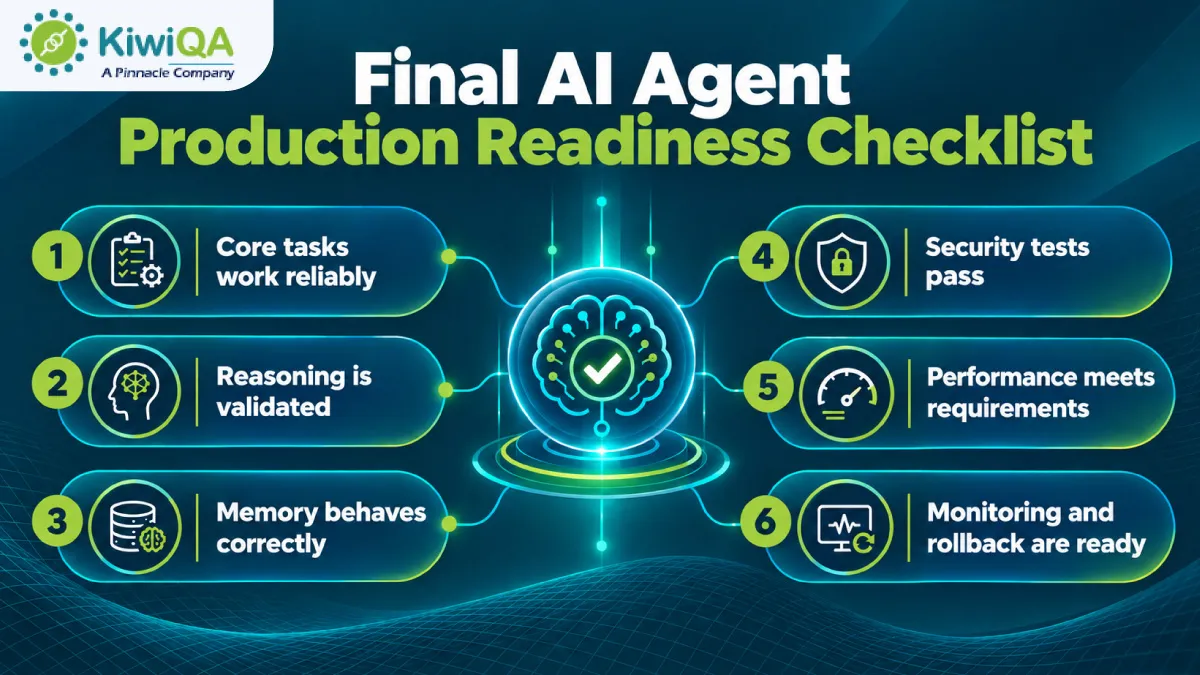
Final AI Agent Production Readiness Checklist

Final AI Agent Production Readiness Checklist

• Verify the AI agent fulfills its primary tasks accurately and consistently across multiple user scenarios.

• Ensure the agent makes appropriate decisions and responds accurately in complex situations.

• Check that the agent remembers relevant information, manages context accurately, and avoids incorrect details.

• The agent should safeguard sensitive data and avoid unauthorized actions.

• Validate stability, scalability, and response time to ensure agent performance.

• Confirm production monitoring and rollback procedures are configured to identify errors and support ongoing validation through AI agent testing service.

Also Read : Top AI Testing Tools Decision Makers Should Invest in 2026

Pre-Production AI Agent Testing Workflow

» Step 1: Define Expected Agent Behaviour

Establish clear goals, required actions, acceptable outcomes, and prohibited behaviors, so testers can measure whether the agent performs as expected.

» Step 2: Build Test Scenarios

Develop realistic paths, edge cases, adversarial tests, and failure scenarios to determine how the agent responds across various conditions.

» Step 3: Run the 50-Test Checklist

Perform this AI agent testing framework, record pass/fail results, capture errors, and measure KPIs for every scenario.

» Step 4: Fix and Regression Test

Resolve crucial issues, rerun failed tests, and perform regression testing to confirm fixes work without hampering previous successful agent behavior.

» Step 5: Approve Production Deployment

Review remaining risks, confirm monitoring systems are active, and establish reliable rollback procedures before approving the AI agent for production.

Discuss Your AI Testing Needs with Our Experts

Build Reliable AI Agents Before They Reach Production

The 50 tests in this checklist are what make an AI agent functional and trustworthy. Partnering with experienced AI software testing companies strengthens the process. Test realistic scenarios before launch, monitor real-world behavior after release, and investigate unexpected outcomes. Using this checklist as the production gate helps organizations develop reliable, secure, and future-ready AI agents.

Top Salesforce Automation Testing Tools to Consider in 2026

Salesforce environments have turned out to be highly complex in recent years. This is due to the demand for extensive customisation, third-party integrations, and frequent releases. These are making manual testing difficult to scale. According to recent statistics, worldwide, over 15,000 companies rely on Salesforce for business-critical operations like customer service, marketing, and sales.

Automation testing helps QA teams check critical workflows more efficiently and catch potential issues before they make it to production. Working with experienced salesforce testing services providers can also help you build a reliable testing process that keeps your Salesforce applications running smoothly.

However, the effectiveness of automation mainly depends on picking the right testing tool. An effective tool can encourage test coverage, accelerate regression testing, and offer more consistent results. So, here you can explore some top Salesforce automation testing tools to consider in 2026.

Why Businesses Need Salesforce Automation Testing in 2026

As Salesforce implementation has become more complex than before, businesses are in demand for reliable ways to validate every change. Automated testing consultancy can help your QA teams reduce repetitive work while catching defects earlier. Most importantly, it can help you maintain your application quality.

➥ Faster Salesforce Release Cycles

Automation allows your QA teams to execute repetitive tasks while helping your business validate changes without slowing down frequent Salesforce releases. This makes it easier to maintain your development speed.

➥ Reduced Manual Testing Effort

Automated tests can handle repetitive validation tasks that would not require major manual effort from your team. Testers can prioritize more complicated scenarios and areas that need human judgment.

➥ Better Regression Test Coverage

Salesforce updates and customization can unintentionally impact existing features, making regression testing a must. Automation enables your team to test more workflows consistently after every change.

➥ Early Identification of Defects

With automated testing consulting, you can test early and frequently throughout the development process. This can help your team detect issues in the early phase. Finding defects in the earlier phase can reduce the chances of rework.

➥ Improved Release Reliability

Consistent automated testing can help verify that critical Salesforce functionality continues to work as expected before release. This reduces the likelihood of production failures and offers your team great confidence when initiating changes.

➥ Support for Continuous Integration and Delivery

Salesforce automation testing can be integrated into CI/CD pipelines to automatically validate changes during development and deployment. This enables faster feedback and more balanced releases.

Ready to Strengthen Your Salesforce Testing Strategy

How to Choose the Right Salesforce Testing Tool

Here are the steps that can offer clarity on how to choose the right Salesforce automation testing tools in 2026.

❏ Evaluate Your Salesforce Environment

Begin the process by assessing the number of users and applications, along with the level of Salesforce customization and the cloud your company uses. You should also consider the complexity of the integration by seeking the help of a test automation consultancy. This is very important when your project requires specialized expertise.

❏ Consider Your Team’s Technical Skills

Pick a tool that matches your team’s technical knowledge, starting from no-code solutions for business users to low-code platforms for QA teams. Script-based tools might be more suitable for technical teams that need greater control and flexibility.

❏ Review Integration Requirements

Check whether the testing tools work effectively with your CI/CD pipeline, existing test management systems, and DevOps platforms. It should also support the third-party applications connected to Salesforce. This ensures your testing covers the whole technology ecosystem.

❏ Compare Cost and Scalability

Apart from licensing expenses, make sure to consider the efforts needed to implement, maintain, and update the testing solution. A scalable tool should continue supporting your growing users, applications, and testing requirements without giving rise to excessive long-term charges.

Also Read : Top AI Testing Tools Decision Makers Should Invest in 2026

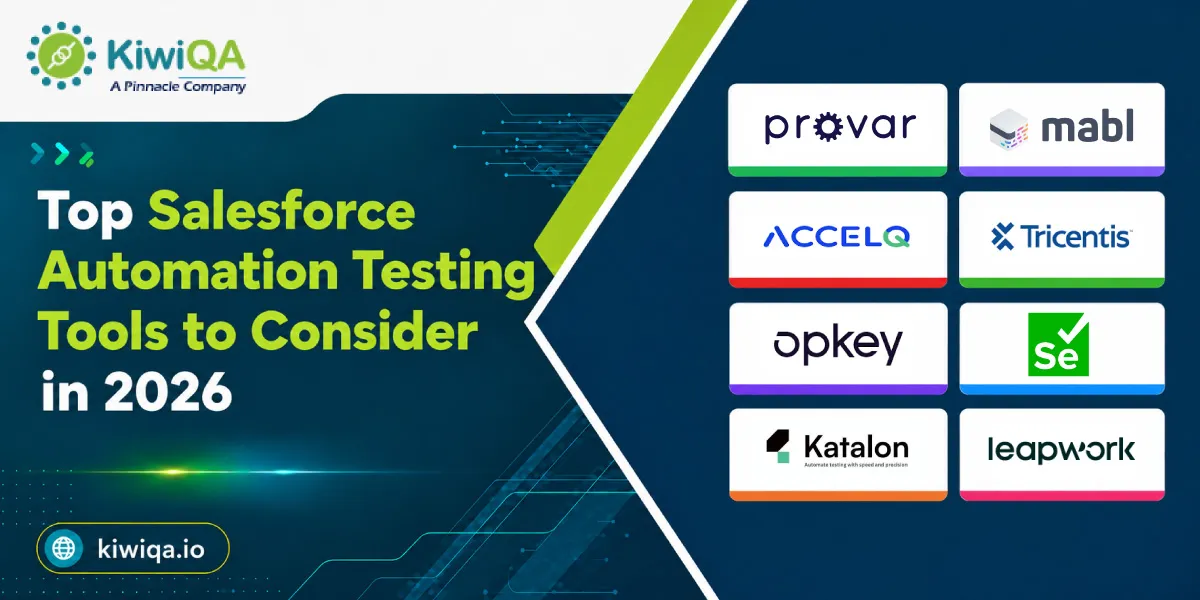
Top Salesforce Automation Testing Tools to Consider in 2026

Salesforce implementation has become more customized and connected to other business systems. So, QA teams need automation testing tools for Salesforce that can handle more than basic functional audits. Here are some Salesforce automation testing tools listed below that offer different approaches. Starting from Salesforce-focused and codeless platforms to flexible open-source frameworks, these allow your business to choose based on your testing needs.

1. Provar

Provar

Provar is categorized as a Salesforce-focused test automation platform curated to simplify your testing across complicated Salesforce environments. It supports complete testing and uses a low-code approach, allowing your QA teams to generate automated tests without major programming. Its strong understanding of Salesforce metadata helps testers work efficiently with customized objects, configurations, and fields.

This particular feature makes this platform useful for companies with large and highly customized Salesforce implementations that need reliable regression and complete testing.

2. Mabl

Mabl

This is an AI-powered test automation platform that supports complete testing for web applications, including Salesforce-based workflows. Its low-code approach enables teams to create and execute tests without building large amounts of automation code.

Intelligent automation can also help you minimize maintenance effort associated with changing applications and test cases.

Mabl can be your practical option if you are looking for a modern testing platform that combines automation, AI capabilities, and easier test maintenance.

3. ACCELQ

ACCELQ

This Salesforce automation testing tool combines AI-powered capabilities with a codeless approach to automate testing across web, mobile, and API environments. This allows your team to validate Salesforce workflows as well as the applications and services connected to them.

It mainly focuses on reducing test maintenance and can be effective when your applications go through frequent changes. This platform is mainly suitable for organizations that want broader automation capabilities instead of limiting testing to Salesforce alone. This also keeps test creation accessible to users with limited coding experience.

4. Tricentis Tosca

Tricentis Tosca

This is considered the best automation testing tool for Salesforce in the current scenario. It offers enterprise-level test automation capabilities for companies handling large and complicated Salesforce implementations. Its risk-based testing approach helps teams prioritize critical business processes and focus testing efforts where failures could have the greatest influence.

The platform can also help in improving overall test coverage across complicated application landscapes. Therefore, it is well-suited for enterprises that require structured and scalable automation for Salesforce environments, including extensive customization and business-critical workflows.

5. Opkey

Opkey

Opkey is a no-code test automation platform that uses AI-driven capabilities to support test discovery and maintenance. It can easily automate testing for your Salesforce as well as other enterprise applications. This feature makes it useful for organizations with interconnected technology environments.

Its approach can help your team identify testing needs and maintain automated tests as applications change. Opkey is generally necessary for businesses that need continuous testing, where automated validation needs to be performed regularly throughout development and release cycles.

6. Selenium

Selenium

It is an open-source automation framework that offers technical teams extensive flexibility when building browser-based Salesforce tests. Unlike many codeless platforms, this platform requires programming knowledge and generally includes setting up and maintaining an automation framework.

On the other hand, it offers developers and experienced automated testing companies greater control over test logic, integrations, frameworks, and custom requirements. This platform can be a viable choice for organizations with skilled technical teams that want a customizable solution.

7. Katalon

Katalon

This platform supports testing across web, API, and mobile applications. This feature makes it suitable for Salesforce environments that depend on multiple connected systems. It offers both low-code and scripting options, enabling users with different technical backgrounds to work together in test automation.

As the best Salesforce automation testing platform, it has built-in reporting and test management capabilities. This can help your team organize and assess their testing activities. Katalon can therefore work well for organizations with mixed technical expertise that need one platform to support different types of applications and integration testing.

8. Leapwork

Leapwork

This platform takes a visual and non-code approach to test automation. This allows your team to build automated workflows without extensive programming. It supports complete business process testing, making it useful for validating Salesforce processes that include multiple applications or systems.

Both business users and QA teams can benefit from its visual approach, particularly when testing complicated workflows at the same time. Leapwork is suitable for companies that desire to automate Salesforce and connected business processes while keeping test creation accessible to non-technical users.

Key Features to Look for in a Salesforce Automation Testing Tool

Choosing a Salesforce automation testing tool is not just about simply selecting the platform with a series of features. The right solution or tool should match your Salesforce architecture, testing workflow, technical capabilities, and release strategy. A tool that works effectively for a small implementation might not be reliable for an enterprise environment with complicated customizations and frequent deployments. So, before you decide anything, you should assess the following capabilities listed below in the platform.

✦ Low-code or no-code Test Creation

Low-code or no-code test creation has the capabilities to make automation accessible to a series of users. Your QA teams can easily create and modify test cases with minimal programming knowledge. On the other hand, business users can contribute to validating critical Salesforce workflows. This can reduce your dependency on high-level developers while making it easier to expand your automation coverage as testing needs grow.

For organizations using salesforce testing solutions, low-code tools can make it easier for internal teams, QA professionals, and external testing experts to work together. They can simplify day-to-day testing tasks and help teams collaborate without adding unnecessary complexity. Test scenarios can easily be created and updated more effectively without needing you to rebuild large sets of code.

✦ Support for UI and API Testing

Salesforce applications rarely operate individually. Users interact with the Salesforce interface, while APIs exchange information between Salesforce and other applications, databases, and services. A capable testing tool should therefore support UI and API testing at the same time.

UI testing can help you verify that users can complete critical workflows correctly. On the other hand, API testing can assess data exchange and backend functionality. This allows your team to test the application completely instead of prioritizing what happens on the screen.

✦ AI-powered Test Maintenance

Salesforce environments can change anytime as teams introduce new configurations, integrations, customizations, and releases. Such changes can cause automated tests to become outdated or fail even when the underlying business process has not changed. AI-powered testing capabilities can help you verify application changes while reducing the manual effort needed to update test cases. This is mainly valuable for companies that run on large automation.

✦ CI/CD Integration

Modern development teams need testing to happen continuously rather than only before a major release. So, your automation testing tools for Salesforce should integrate with the CI/CD pipelines. This way, the automated tests can run as part of the development, deployment, and release workflows. This gives developers and the QA team faster feedback when a change introduces issues. Integrating testing into the delivery pipeline also helps organizations detect issues earlier while making releases more predictable.

✦ Integration Testing Support

Salesforce generally connects with payment platforms, ERP systems, customer portals, marketing applications, and other third-party solutions. Testing only Salesforce functionality might therefore leave critical integration failures undetected.

The selected tool should support your integration testing across connected applications and validate whether data moves correctly between systems.

This is generally important for complete business processes where a failure in one connected system can disrupt the entire process.

✦ Scalability and Security

The testing solution should be capable of handling growing numbers of users, applications, test cases, and Salesforce environments without reducing performance consistency. Scalability becomes especially important for enterprises handling multiple Salesforce instances.

Security is also important because automated testing might interact with sensitive customer and business data. So, you should evaluate the access controls, data protection, authentication, and compliance requirements.

✦ Best Practices for Salesforce Test Automation

Effective Salesforce test automation is not just automating everything. Your goal should be to create a reliable testing strategy that prioritizes automation efforts where they offer the most incredible value. As Salesforce environments change through customizations, frequent releases, and integrations, following some practical best practices can help your QA teams maintain test quality while keeping the process efficient.

✦ Prioritize Critical Business Workflows

Start by assessing the Salesforce processes that have the greatest impact on business operations and customer experience. Workflows like lead conversion, order processing, opportunity management, and customer onboarding should generally receive higher testing priority.

Automating such critical scenarios first ensures that the most essential functionality has been tested. Further, your team can expand their automation coverage to lower-priority workflows.

✦ Automate Repetitive Regression Tests

Regression testing is one of the major use cases for Salesforce automation, as the same scenarios need to be executed after configuration changes or releases. Automating such repetitive tests can save your QA team’s time and reduce the risk of human error or issues.

Instead of manually repeating hundreds of verifications during every release cycle, testers can run automated regression suites and prioritize their time on exploratory testing. Further, they can review the complicated scenarios that need human verification.

✦ Build Reusable Test Components

Avoid creating completely independent automation scripts for every test case. Reusable components for common actions, like logging in and navigating Salesforce objects, can make the automation framework easier to maintain.

When Salesforce processes change, teams can easily update the shared component instead of changing individual tests. This approach reduces the chances of duplication and helps keep the automation suite consistent as your Salesforce environment grows.

✦ Keep Test Data Well Managed

Reliable automation depends heavily on reliable test data. Teams should define how test records are created, stored, and cleaned up. This way, the tests do not fail because of missing or outdated information.

When necessary, use controlled and isolated test data instead of relying upon production information. Proper data management also helps protect sensitive business and customer data while making automated test results more predictable.

✦ Integrate Testing into CI/CD Pipelines

Automation becomes more valuable when testing is integrated directly into the development and deployment process. Connecting Salesforce automated tests with CI/CD pipelines allows your team to initiate changes automatically at necessary stages.

This can guarantee you faster feedback when defects are detected and helps prevent unstable builds from progressing further. You can consider the help of automated testing companies who can support you with frequent and controlled Salesforce releases.

✦ Review and Maintain Automated Test Suites Regularly

An automation suite should not be treated as a one-time project. Salesforce configurations, workflows, interfaces, integrations, and your business needs can change over time. This might cause previously reliable tests to become irrelevant.

So, your QA teams should regularly check test cases, remove useless scenarios, update affected workflows, and investigate recurring failures.

Routine maintenance can keep your suite reliable and prevent automation from becoming a source of unnecessary noise.

✦ Track Test Coverage

Assessing test coverage can help your team understand which Salesforce processes are adequately validated and where important gaps are. Coverage should be considered across critical business workflows, user journeys, and frequently changed functionality instead of the number of automated tests.

Failure patterns offer another valuable source of insight. By assessing recurring failures, your team can verify unstable tests, problematic integrations, and common application defects. Further, you can use such findings to improve your Salesforce testing strategies.

Also Read : Top Accessibility Testing Tools Should Use in 2026 to Improve Customer Experience

Future Trends in Salesforce Test Automation

Salesforce testing has already gone beyond traditional automated regression testing as organizations are adopting more complicated architectures and faster release cycles. The recent trends and technologies are making automation more intelligent and easier to maintain while sticking to continuous delivery. Here are some trends to catch up for business growth.

➤ AI-Powered Test Creation

AI is making it possible to create test cases faster by assessing application behavior, needs, and your existing workflows. So, instead of generating every scenario manually, your team can use AI features to understand potential test cases and improve the test design.

Intelligent test recommendations can also help teams identify high-risk areas and can suggest scenarios that might get overlooked. This can also encourage test coverage while reducing the time needed to create large automation suites.

➤ Self-Healing Test Automation

Salesforce interfaces can change frequently as organizations modify configurations and introduce new components. Traditional automated tests might fail when UI elements and object properties change.
Self-healing automation aims to address this issue by detecting changes and adapting test interactions automatically. This can minimize maintenance work and improve your test stability. This can also allow your teams to spend less time fixing automation failures caused by minor application changes.

➤ Greater DevOps Integration

Salesforce development is increasingly becoming part of broader DevOps practices. This makes continuous testing an essential part of modern delivery pipelines. Automated tests can be integrated into development and release processes to validate changes throughout the software lifecycle.
This approach gives development teams faster feedback when any defects are found. Instead of discovering issues before the production deployment, teams can identify and address issues earlier. This makes Salesforce releases faster and more predictable.

➤ End-to-End Business Process Testing

Salesforce rarely works as an individual system in large organizations. It might exchange data and might trigger processes across ERP platforms, CRM applications, marketing tools, payment systems, and other enterprise technologies.

Complete testing will mainly focus on validating such connected workflows instead of testing Salesforce in isolation. This can offer better visibility into how data and processes move across systems and helps identify failures. This approach can be more viable when considering the help of automation testing services that can verify the individual applications separately.

Want Expert Support for Salesforce Automation Testing

Making the Right Choice for Salesforce Test Automation

Choosing the right Salesforce test automation tool involves more than simply picking a tool with the right features. As a business owner, you need to consider your Salesforce architecture, testing goals, team expertise, and long-term requirements. Partnering with an experienced salesforce automation testing company can also help you understand your testing needs and choose an approach that fits your Salesforce environment.

Key factors like low-code capabilities, AI-powered maintenance, UI and API testing, CI/CD compatibility, and integration support should be assessed carefully. So, the right tool shouldn’t only address current testing needs but also adapt as Salesforce implementations become larger and more complicated than before.

So, before making the final choice, businesses should properly assess their Salesforce customizations, workflows, connected applications, and existing development processes. A practical assessment based on such factors can help your QA team select a testing solution that can encourage coverage while reducing maintenance.

Which Security Testing Types Does Your Business Really Need?

With increased attacks on today’s enterprise systems, cybersecurity should be your ultimate business priority. Businesses are heavily relying on cloud platforms, remote work tools, mobile devices, and third-party software. While such technologies can encourage productivity, they might also extend the attack surface for cybercriminals. As per the recent landscape report, there is a 26% increase in total cyber-attack activity throughout the globe. Around 49% of attacks abuse legitimate tools.

However, there is no one-size-fits-all approach to application security. A fintech platform handling sensitive financial data might face different threats compared to an e-commerce website. This is why your business needs to understand the security testing methods that align with its industry. Well-planned security QA testing can help your organization assess vulnerabilities from multiple angles.

If you choose the right testing approach, it can enable your business to identify weaknesses before attackers can exploit them. From detecting coding flaws to assessing real-world attack scenarios, security tests can reduce risks.

What is Security Testing?

Security testing is a major inclusion when it comes to software testing, and it is focused on discovering security challenges and risks in software. It aims to keep your software protected from dangerous cyberattacks and data breaches, along with unauthorized access.

When it comes to security testing and identifying vulnerabilities, many leading businesses consider the expertise of a security QA testing company. Their process includes examining different areas of a system for security gaps, including authentication mechanisms, authorization controls, data protection, input validation, APIs, configurations, and network security. Depending on your testing method, security professionals might scan for known vulnerabilities while simulating real-world attack conditions. They might also investigate potential weaknesses while automating the tools they miss.

General software testing mainly prioritizes whether an application works as expected. On the other hand, security testing asks a different set of questions, like: can someone access information they should not see? Can attackers manipulate the software? Etc. Security testing also evaluates whether the same feature can be bypassed through techniques like injection attacks, weak credentials, or session manipulation.

You need to remember that security testing should also not be treated as your final checkpoint before the deployment process. This should be implemented throughout your software development journey. This approach can help your team identify security challenges during planning, development, testing, and deployment. You can easily fix vulnerabilities earlier while reducing expenses.

Ready to Choose the Right Security Testing Approach?

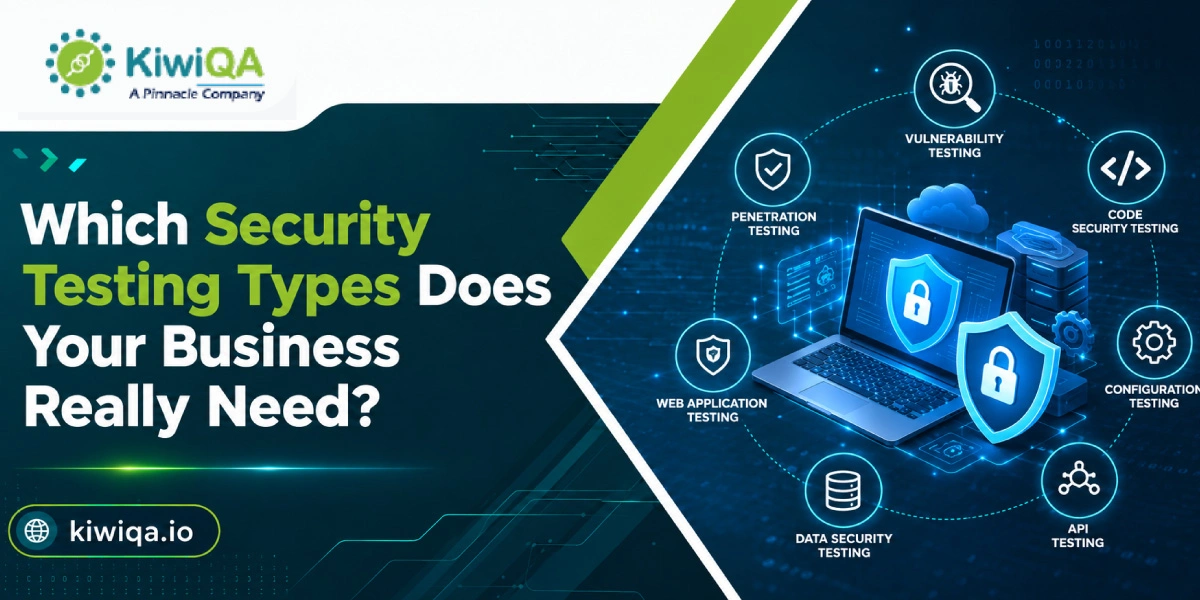
Key Security Testing Types Businesses Should Consider

Different types of security testing are a must, as multiple applications, infrastructure, and business environments face different security challenges. Therefore, picking the right combination of security testing methods is necessary for creating a stronger security posture. Here are ten important types that you should be considerate of.

➥ Vulnerability Assessment

A vulnerability assessment is capable of verifying security weaknesses across your digital assets, including networks and applications. It generally uses systematic scans and analysis to verify issues like missing patches, outdated software, insecure configurations, and publicly known vulnerabilities.

The outcomes can help you understand the security exposure while prioritizing the weaknesses based on their severity and potential business impact. As new vulnerabilities continue to emerge, this type of assessment is generally suitable for regular security reviews. By approaching vulnerability assessment, you can easily address your risks early while maintaining better visibility into your overall security posture.

➥ Penetration Testing

Penetration testing is not just limited to identifying risks; it includes real-world scenarios to assess if security weaknesses can actually be exploited. In this process, a professional QA security testing company attempts to breach systems using similar techniques used by attackers. It can help you assess the real and exact influence of active risks present.

It will also check the effectiveness and strength of your recent security controls, including authentication mechanisms.

Penetration testing is highly valuable before major product launches and infrastructure upgrades, as it offers a practical assessment of how well an organization can tackle real potential attacks.

➥ Web Application Security Testing

This testing method verifies websites and web-based applications for vulnerabilities that could expose systems, users, or sensitive information to attacks. It assesses critical areas like session management, authentication processes, access controls, input handling, and application configurations.

The following testing can discover issues like injection vulnerabilities, insecure configurations, broken access controls, and other weaknesses commonly related to OWASP security risks. As web applications are generally exposed to the internet, even a small risk can create a major business impact. So, regular and continuous testing can help your industry understand the issues before they become accessible to attackers.

➥ API Security Testing

API security testing prioritizes preventing vulnerabilities in the interfaces that enable communication between applications, services, and platforms. It verifies authentication and authorization mechanisms to ensure that only real users are able to access your resources.

Testing also helps identify accidentally exposed sensitive data and ineffective access controls that could allow attackers to manipulate requests or access unauthorized information. As modern software is largely dependent on interconnected services, APIs have become a major attack surface. So, API testing is one such security testing type you should consider to reduce risks across the broader application ecosystem.

➥ Mobile Application Security Testing

This testing identifies vulnerabilities that affect Android and iOS applications and the systems they interact with. It verifies how sensitive data is stored on devices and whether communication between the application, APIs, and backend services is properly secured.

The process also examines user permissions and potential weaknesses that could expose application functionality or data. As mobile applications generally depend on backend APIs and third-party services, testing such integrations is necessary. A detailed assessment can help your business address risks across both the mobile applications and their connected infrastructure before security issues affect users.

➥ Network Security Testing

Network security testing assesses both internal and external networks to identify weaknesses that might give rise to unauthorized access. It verifies vulnerable ports, insecure services, exposed devices, and other entry points that attackers might attempt to exploit.

The following process also reviews firewall rules, network segmentation, and configurations to determine whether existing security controls offer better protection. Effective testing can also reveal unnecessary exposure and misconfigurations that might go unnoticed. As part of broader security testing services, network security assessment can help your organization strengthen its infrastructure while minimizing the chances of attackers gaining control of sensitive resources.

➥ Cloud Security Testing

Cloud security testing is responsible for evaluating cloud infrastructure, services, and configurations to identify risks that could expose your sensitive data. It verifies excessive permissions, access controls, and weak identity. It also assesses other configuration issues that might give users more access than necessary.

Testing also reviews data storage practices, encryption controls, and security testing to ensure critical information is properly protected.

As organizations increasingly operate across Microsoft Azure, AWS, and Google Cloud environments, understanding the security responsibilities within each deployment is necessary. Cloud security testing can help your business identify configuration and access-related weaknesses before they give rise to data exposure and security incidents.

➥ Security Configuration Testing

This testing approach is one of the major ones among different types of security testing. It focuses on identifying weaknesses caused by improperly configured systems, databases, applications, and infrastructure. Even well-developed software can become vulnerable when security settings are improperly integrated.

This testing reviews access permissions, default configurations, security policies, and system settings. This can help you identify unnecessary exposure. It can also detect unused services and features that should be disabled but remain active. By identifying and correcting the issues, your business can easily reduce avoidable risks and ensure the technology environment values established security best practices.

➥ Authentication and Authorization Testing

Authentication and authorization testing is a type of security testing that evaluates whether an application properly verifies user identities and restricts access as per defined permissions. It verifies login mechanisms and structures the verification process for finding defects that could allow an attacker to bypass the security controls.

The assessment also examines role-based access controls to ensure users can only access resources related to their responsibilities. Apart from this, it identifies privilege escalation risks where a standard user might gain higher-level permissions through misconfigurations. Effective authentication and authorization testing is needed to prevent unauthorized access and protect sensitive information. You can also be assured of the safety of your high-value business resources with this testing.

➥ Compliance Security Testing

Compliance security testing assesses whether an organization’s security controls align with applicable regulatory and industry needs. Depending on the business and the data it handles, this might include standards like PCI DSS, HIPAA, GDPR, and ISO 27001.

The testing process mainly identifies compliance-related security gaps, including weak access controls or missing safeguards.

Addressing such issues can help your business reduce regulatory risks while strengthening the overall security structure. Compliance testing can also help your organization prepare for internal and external audits by assessing potential gaps early while offering clearer visibility into whether required security controls are properly implemented.

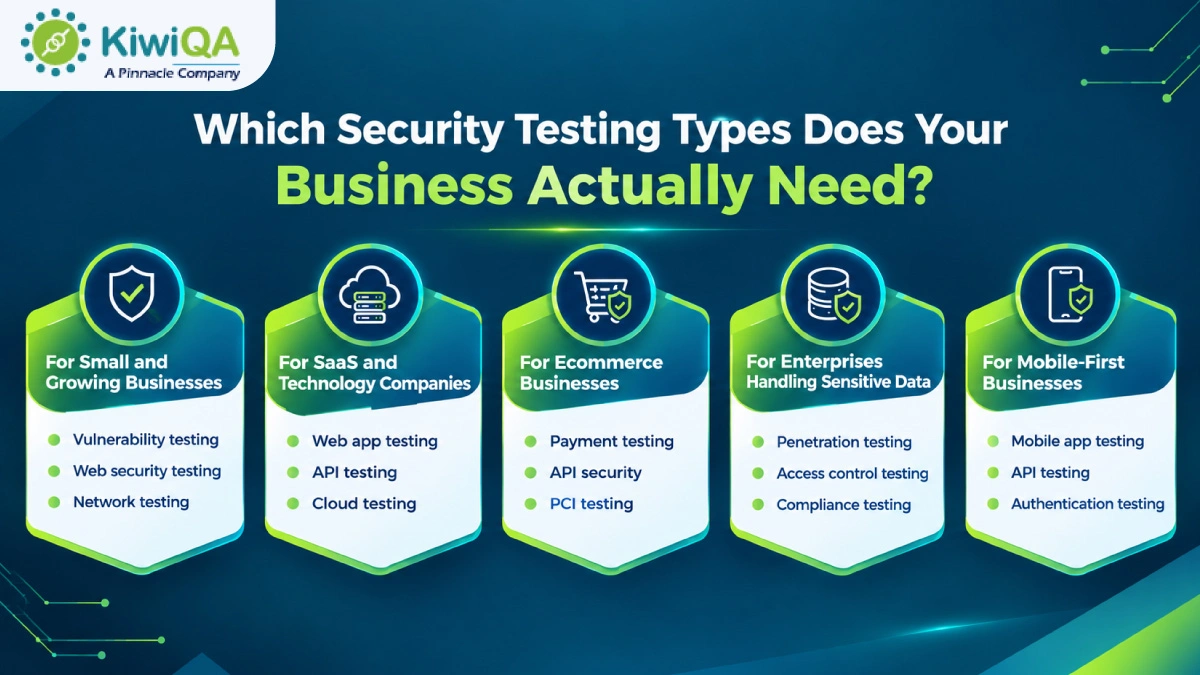
Which Security Testing Types Does Your Business Actually Need?

Which Security Testing Types Does Your Business Actually Need?

The right security testing strategy mainly depends on your business model, technology stack, and the type of data you handle, along with your risk exposure. While some companies desire continuous security assessment, others can start with targeted testing focused on their most critical assets.

➥ For Small and Growing Businesses

Small and growing businesses should form a strong security foundation without unnecessarily overloading their testing efforts. Regular vulnerability assessments can help you identify known weaknesses, while web application security testing can protect your customer-facing websites and apps. Network security testing is equally necessary for identifying exposed services, insecure configurations, and vulnerable devices within the business infrastructure.

Basic penetration testing can further validate whether critical vulnerabilities are actually exploitable. This combination offers smaller organizations practical visibility into their security risks while helping them address important risks before the digital infrastructure starts growing.

➥ For SaaS and Technology Companies

SaaS and technology firms generally operate within interconnected environments. This makes application and infrastructure security very important for you. Web application security testing can help identify vulnerabilities in customer-facing platforms, whereas API security testing protects the connections between applications, services, and third-party integrations.

Cloud security testing is necessary for identifying configuration mistakes and data protection risks within your cloud environment. Similarly, penetration testing offers a practical assessment of exploitable issues, while authentication and authorization testing ensures users can’t access resources beyond their assigned permissions. Together, such testing approaches can help your SaaS business protect customer data and maintain trust.

➥ For Ecommerce Businesses

Ecommerce businesses mainly handle customer accounts, transactions, personal information, and payment-related data. This creates multiple potential security risks. In such an environment, web application security testing can help you protect your online stores from common application breaches. API security testing secures connections between payment gateways, inventory systems, and other integrated services.

Payment security testing focuses on protecting transaction processes and sensitive financial data. Penetration testing can easily identify exploitable weaknesses across the broader ecommerce environment. In addition to this, PCI DSS compliance testing is generally necessary for businesses handling cardholder data. Combining such assessments can help ecommerce companies reduce fraudulent activities and data exposure that can easily affect customer trust.

➥ For Enterprises Handling Sensitive Data

Enterprises handling sensitive customer and confidential business data need a more comprehensive security testing approach. In such a scenario, a security QA testing company might consider penetration testing that helps evaluate whether attackers can exploit weaknesses across critical systems and applications.

Network security testing identifies risks within internal and external infrastructure, while cloud security testing addresses configuration, access, and data protection concerns in cloud environments. Access control testing ensures employees and users can only reach authorized resources, reducing the risk of privilege misuse. Mainly, compliance security testing can further help your organization identify gaps against applicable regulatory and industry needs while strengthening its overall security structure.

➥ For Mobile-First Businesses

Mobile-first businesses should secure their application and the whole infrastructure at the same time. Mobile application security testing helps identify vulnerabilities specific to Android and iOS applications, including insecure local storage, unsafe communication, and weak permissions. API security testing is necessary because mobile applications frequently exchange data with backend services through APIs.

Authentication testing can evaluate whether login and identity verification mechanisms can resist unauthorized access. Backend infrastructure testing further examines the servers, cloud services, databases, and configuration supporting the application. Together, such types of security testing can help your mobile-first business protect users and reduce risks across the whole mobile ecosystem.

Also Read : Security Testing in Retail App: Safeguarding Customer Data

How to Choose the Right Security Testing Approach?

Choosing the right security testing types is not just about applying every available testing method to every system. A more effective strategy is to assess where your business is most exposed and focus testing efforts accordingly. Your risk profile, compliance obligations, environment, and critical business factors should also influence the scope, as mentioned here.

➥ Evaluate Your Business Risk

Start by assessing the type of data your organization gathers and processes. You might face greater consequences if your business deals with financial details, personal information, or confidential business records. You should also consider the value of systems that might attract cyber attackers. Make sure to assess the potential influence of a security incident, including financial loss, legal consequences, operational disruption, and loss of customer trust. This risk assessment can help you determine which risks need the highest level of attention.

➥ Consider Your Technology Environment

Your security testing approach should match the tech environment your business operates within. Web applications need testing for common application vulnerabilities, while mobile applications need assessment focused on device-specific risks and local data storage. Your APIs should be tested carefully as they often connect multiple applications and services while handling sensitive data.

Businesses using cloud infrastructure must assess configurations, permissions, and data protection measures. Internal networks also need attention to identify exposed devices and configuration weaknesses. Mapping such environments can help you ensure that important attack surfaces are not ignored at all.

➥ Understand Your Compliance Requirements

Security testing decisions should also consider the compliance needs applicable to your industry and operations. Industry-specific regulations might require your business to implement particular security controls or conduct assessments at defined intervals. Data privacy regulations generate additional responsibilities around how personal and sensitive data is gathered, stored, accessed, and protected.

Understanding such factors can help your business choose security testing methods that address both genuine security risks and potential compliance gaps before they lead to penalties and audit issues.

➥ Prioritize Business-Critical Systems

Your business should prioritize testing for systems where a successful attack would have the greatest influence. Your customer-facing software needs immediate attention as it is directly exposed to external threats and often processes sensitive user data.

Payment platforms should be thoroughly assessed because of the financial data and transactions they manage. Business-critical databases containing customer, financial, or operational data should also get strong security coverage. Finally, employee and administrator accounts need careful testing as excessive permissions can offer attackers access to multiple systems. Prioritizing such assets can help your organization use security testing services where they matter the most.

Also Read :  Why Security Testing Should Be a Top Priority for Insurance Applications?

When Should Businesses Conduct Security Testing?

Security testing shouldn’t be considered a one-time activity performed only after application development. New challenges and risks can emerge as software changes and attackers discover new ways to exploit systems. A proactive testing schedule can help your business identify pain points before they turn into costly security failures. Here are some instances where you need security testing.

➥ Before launching a new application

Every new application should go through rigorous security testing before it becomes available to customers or employees. Launching without a proper assessment can expose your business to risks related to authentication, access controls, and application configurations.

Testing before release can help your development team identify and resolve such weaknesses while changes are still easier and less expensive. It also offers greater confidence that sensitive data and critical functionality are properly protected from the very beginning.

➥ After Major Application Updates

Major application upgrades can unintentionally introduce new security weaknesses. Changes to code, features, and third-party libraries might affect your previously secure functionality. Conducting security testing after major updates can help your business verify that new changes have not created vulnerabilities or weakened existing security controls.

➥ Following Infrastructure or Cloud Migrations

Moving systems to new servers, cloud platforms, and infrastructure environments can create security risks if configurations and access controls are not properly integrated. On the other hand, cloud migrations might introduce issues like excessive permissions and weak identity controls.

Security testing after a migration can help you verify that the new environment is configured safely and the sensitive data remains protected. It also ensures that security controls continue to function efficiently after the infrastructure has gone through certain changes.

➥ After introducing new APIs or Integrations

New APIs and third-party integrations can escalate an organization’s attack surface by generating additional connections between systems. Such integrations might expose sensitive data or introduce weaknesses related to authentication, authorization, and access control. Security testing should be performed whenever your business introduces major APIs or integrations.

➥ Before Compliance Audits

Security testing is also necessary before compliance audits, especially for organizations subject to industry standards and data protection regulations. Conducting assessments in advance can help you identify security gaps that could affect your audit readiness. Working with an experienced QA security testing company can help you assess your applications and infrastructure against relevant security expectations.

➥ After Significant Security Incidents

A security incident should always trigger a detailed assessment of affected systems and controls. Whether the incident includes unauthorized access, data exposure, malware, or an attempted attack, security testing can help you determine how the weakness occurred and whether similar risks exist elsewhere.

➥ At Regular Intervals as Part of Ongoing Security Programs

Security testing should be conducted on a regular basis to know if your product is working in your favor. As systems are changing continuously, new vulnerabilities are discovered, and your secure applications might be exposed over time. Regular assessment, penetration testing, and targeted security reviews can help your business maintain visibility into the changing risk landscape.

Need Better Security Testing? Speak with Our Experts

Ready to Identify the Right Security Testing Strategy?

Choosing the right security testing strategy starts with assessing your business and the elements that make it vulnerable. So, make sure you understand your recent security risks and review the applications and systems your company mainly relies on. Further, identify the testing approaches that can address your actual attack surface. Instead of treating every risk equally, prioritize issues as per their seriousness and how they can impact the whole infrastructure.

A structured approach can help your business invest in the security assessment that you genuinely need while prioritizing resources on critical risks. Working with an experienced security QA testing company can also offer access to the expertise needed to evaluate complicated applications and security controls.

You shouldn’t limit yourself to finding vulnerabilities only. It is all about understanding which risks matter the most and resolving them before they can challenge your business and might compromise your sensitive data.